
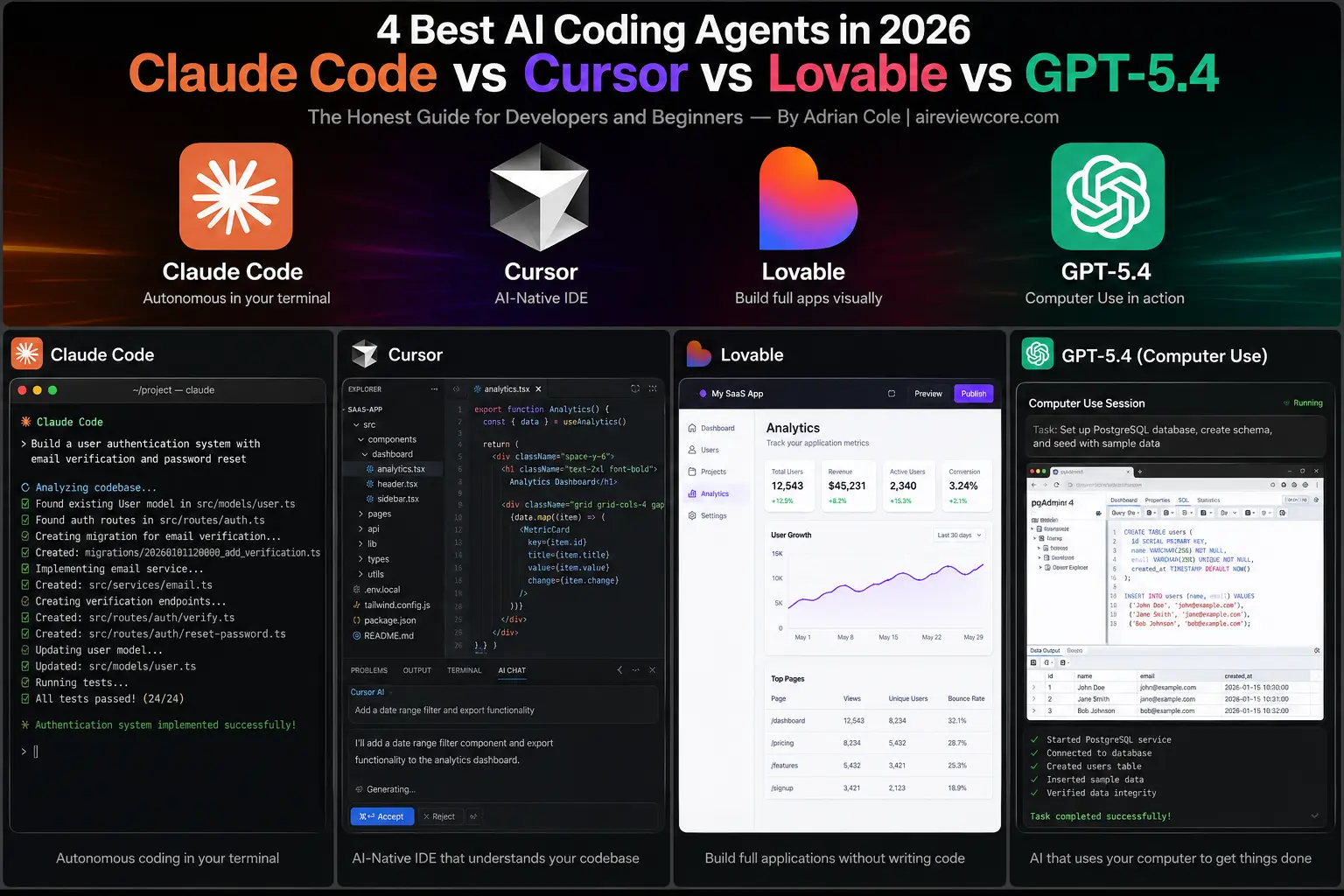
The Honest Guide for Developers and Beginners — By Adrian Cole | aireviewcore.com
Table of Contents
You Do Not Need to Write Every Line of Code Anymore
Not long ago, being a developer meant writing every function, debugging every error, and knowing every syntax rule by heart. That world still exists — but a parallel world has emerged alongside it, and in 2026, it is moving faster than most people realize.
AI coding agents in 2026 are not autocomplete tools that suggest the next word in your code. They are autonomous systems that can read your entire project, understand what you are trying to build, write complete features from a single instruction, catch their own mistakes, and hand you something that actually works — while you focus on the decisions that require human judgment.
This guide is written for two audiences simultaneously: the experienced developer who wants an honest comparison of the leading tools, and the complete beginner who has never written a line of code but wants to understand what these tools make possible. Both of you will find what you need here.
Four tools define the category right now: Claude Code, Cursor, Lovable, and GPT-5.4 with Computer Use. Each solves the coding problem differently. Each is right for a different kind of person. This guide tells you exactly which one belongs in your workflow — and why.
What Is an AI Coding Agent — And Why Does It Matter?
Before comparing specific tools, it helps to understand what separates an AI coding agent from the AI coding assistants that came before them.
An AI coding assistant — think early GitHub Copilot — watches you type and suggests what comes next. It is reactive. You are still driving. It is just filling in words.
An AI coding agent is fundamentally different. You give it a goal, not a prompt. “Build me a login system with email authentication and a password reset flow.” The agent reads your existing codebase, understands your project’s structure and conventions, writes the necessary files, connects them to your existing code, runs tests, catches errors, fixes them, and presents you with a working result. You review. You approve. You move on.
The shift is from assistant to colleague. The best AI coding agents in 2026 have now crossed a threshold where that description is entirely accurate.
For a complete beginner, the practical implication is significant: you do not need to know how to code to build something real anymore. You need to know what you want to build, and you need to know enough to evaluate whether what the agent produced is actually correct. That is a skill anyone can learn — and it is worth developing.
Tool 1: Claude Code — The Agent That Thinks Before It Acts
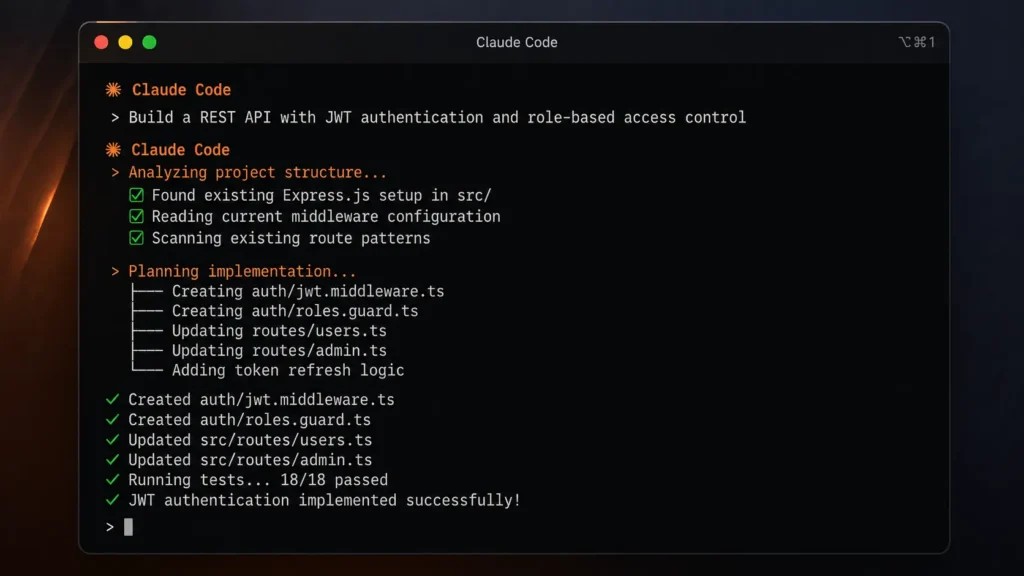
Claude Code is Anthropic’s terminal-based AI coding agent, running directly in your command line and integrated into your existing development environment. The model powering Claude Code — Claude Opus 4.7 — currently leads SWE-bench Verified at 87.6% as of April 2026, the highest score ever recorded on the industry’s most-watched coding benchmark. In developer surveys conducted in early 2026, 71% of developers using AI agents report using Claude Code — the highest adoption rate in the category.
The characteristic that experienced developers consistently highlight about Claude Code is its reasoning quality before action. Where some agents move fast and break things, Claude Code pauses, reads the full context of your project, considers the implications of the change it is about to make, and then acts.
This matters more than it sounds. A coding agent that moves fast but breaks your existing functionality is not saving you time — it is creating new problems faster than it solves old ones. Claude Code’s tendency to understand before acting means fewer regressions, fewer cleanup sessions, and more reliable output on complex multi-file changes.
For tasks that require genuine reasoning — debugging a non-obvious issue, refactoring a large codebase, building a feature that touches many parts of the system simultaneously — Claude Code currently outperforms every other agent in its category.
Imagine you have a web application and you want to add a feature that allows users to export their data as a CSV file. You open your terminal, tell Claude Code what you need, and it reads your existing codebase — understanding your database structure, your API patterns, your frontend conventions. It then writes the backend endpoint, the frontend trigger, and the download handler, consistent with how the rest of your code is written. It runs tests. If something breaks, it fixes it. You review a working implementation.
That workflow — for a feature that might have taken a junior developer a full day — typically takes Claude Code under ten minutes.
Claude Code is the right choice for developers who work on complex, multi-file projects where reasoning quality matters more than raw speed. It is best suited for backend work, large codebase navigation, and any task where getting it right the first time is more valuable than getting something fast.
Pricing: Included with Claude Pro ($20/month) and Claude Max ($100-$200/month). Claude Max users report significantly better performance on long coding sessions due to higher usage limits.
Expert Verdict: Claude Code is the most capable AI coding agent available in 2026 for complex development work — its reasoning-first approach produces more reliable output on difficult tasks than any competing tool, making it the default choice for professional developers working on production codebases.
Tool 2: Cursor — The IDE That Thinks Like a Developer
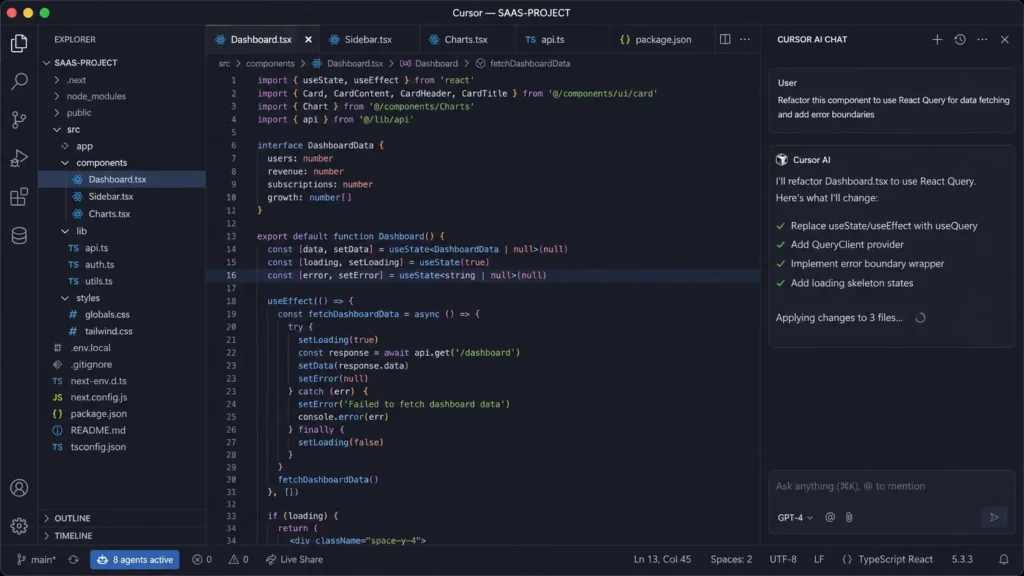
Cursor is an AI-native code editor — a full development environment built from the ground up around AI assistance, rather than an AI layer added on top of an existing editor. In April 2026, Cursor released version 2.0 with support for up to eight parallel AI agents working on different sections of your codebase simultaneously.
Where Claude Code lives in the terminal, Cursor lives in a visual editor — which makes a significant practical difference for how it feels to use. You can see your files, your project structure, and the AI’s changes in real time as they happen. You can review exactly what the agent modified before accepting the change. The visual interface makes the agent’s work transparent in a way that terminal-based tools cannot easily replicate.
Cursor’s multi-agent capability — eight agents working in parallel — is its most distinctive technical feature. For large projects where different parts of the codebase can be improved independently, this parallelism produces meaningful speed advantages. One agent refactors your authentication system while another improves your API performance while a third writes tests for your new features.
The editor also bridges the gap between design and code in a way no competing tool currently matches. Changes to your UI appear visually in real time as the AI writes them, letting you see the result before committing — which dramatically reduces the iteration time on frontend work.
You are a developer who prefers working in a visual environment. You open Cursor, load your project, and describe a complex refactoring task — moving from one database library to another across your entire codebase. Cursor’s agents divide the work: one handles the model layer, one handles the query layer, one updates the tests. You watch the changes appear in real time across your file tree. You review the diff, approve what looks right, and push to production.
For a beginner, Cursor is often the more accessible entry point precisely because it looks like a familiar editor and shows you exactly what the AI is doing.
Cursor is the right choice for developers who prefer a visual development environment, teams working on large codebases that benefit from parallel agent execution, and beginners who want to see the AI’s work clearly before accepting it.
Pricing: Free tier available. Pro plan at $20/month. Business plan at $40/seat/month.
Expert Verdict: Cursor is the strongest choice for developers who live in a visual IDE and teams that need to parallelize AI-assisted development across large codebases — its real-time visual feedback and multi-agent architecture produce the fastest iteration cycles in the category for frontend-heavy and large-scale refactoring work.
Tool 3: Lovable — The Agent That Builds Complete Applications From a Description
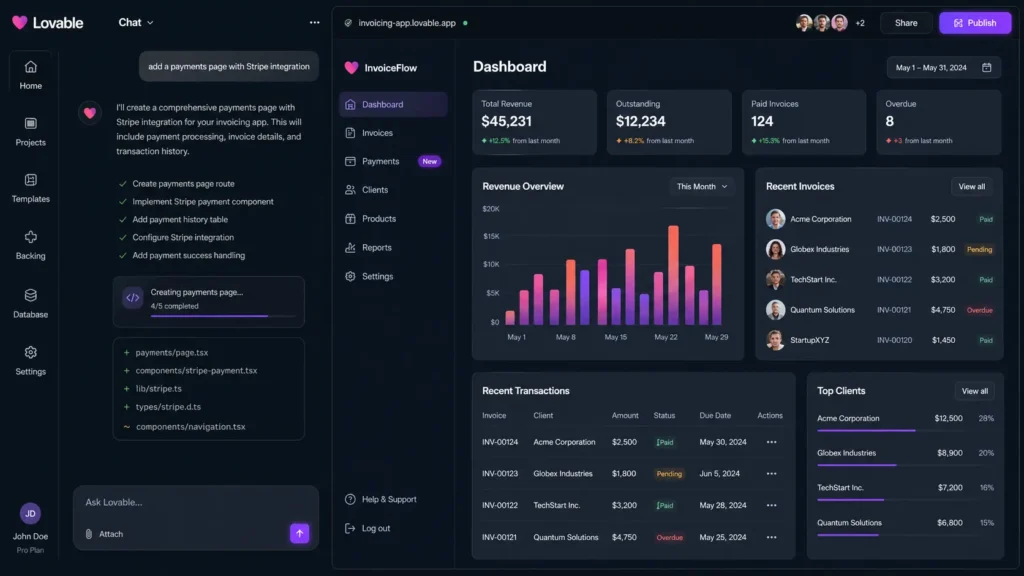
Lovable is the most remarkable growth story in the AI development space in 2026. It reached $20 million in annual recurring revenue within two months of launch — the fastest growth trajectory of any AI application builder in history. It is not a code editor or a terminal agent. It is a platform where you describe what you want to build in plain English, and Lovable generates a complete, deployed, full-stack application.
Lovable occupies a category that the other three tools in this guide do not compete in directly: it is for people who want to build real software products without learning to code first.
You describe your application — a task management tool, a customer feedback system, a simple e-commerce store — and Lovable generates the frontend, the backend, the database schema, the authentication system, and deploys everything to a live URL. You can see it working in a browser. You can share it with users. You can iterate on it through conversation.
The quality of what Lovable produces has improved dramatically in 2026. Applications are not just functional prototypes — they are production-ready enough to handle real users from day one for many use cases. The platform handles the infrastructure decisions that would otherwise require significant engineering knowledge.
For non-technical founders, product managers, and entrepreneurs who have been blocked by the inability to build software themselves, Lovable removes that block entirely.
You have an idea for a simple SaaS tool — a system where freelancers can send invoices and track payments. You describe it to Lovable in plain language. Lovable asks clarifying questions about what you need. It builds the user authentication, the invoice creation flow, the payment tracking dashboard, and the email notification system. It deploys it to a live URL. You send the link to your first potential customer within the same afternoon you had the idea.
That scenario was not practical before tools like Lovable existed. In 2026, it is a routine use case.
Lovable is the right choice for non-technical founders and entrepreneurs who want to build and test software products without a development background, product managers who need to create working prototypes for user testing, and anyone who wants to validate an idea before investing in a development team.
Pricing: Free plan (5 credits/day). Pro at $25/month (100 monthly credits + 5 daily credits). Business plan available for larger teams. Enterprise custom pricing.
Expert Verdict: Lovable is the most accessible on-ramp to building real software in 2026 — its ability to generate and deploy complete applications from natural language descriptions has genuinely democratized software development for non-technical builders, and the quality of its output has crossed the threshold where real products can be built and launched without writing a single line of code.
Tool 4: GPT-5.4 With Computer Use — The Agent That Operates Software Like a Human
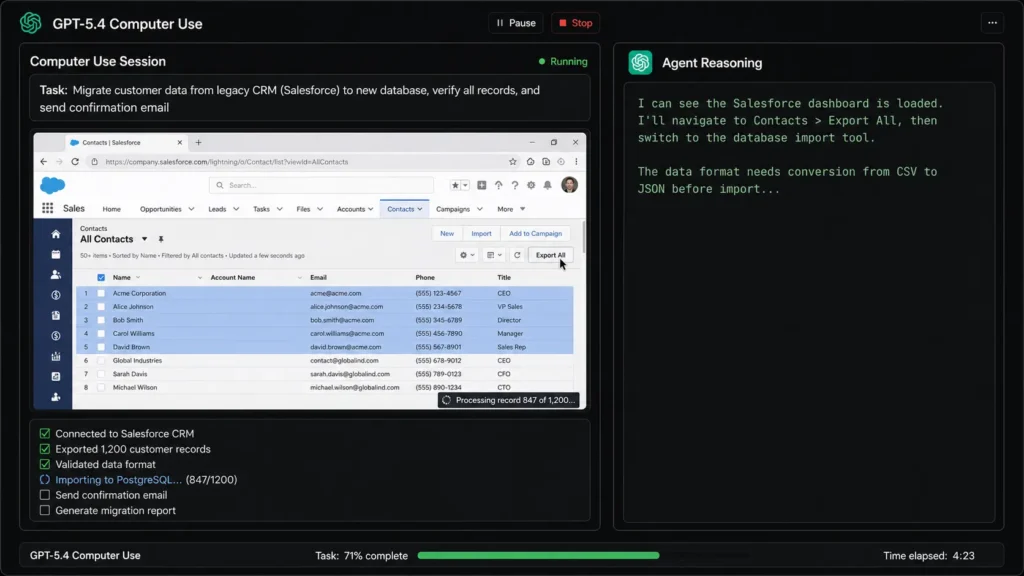
GPT-5 with Computer Use is OpenAI’s latest model paired with a capability that arrived in full production form in early 2026: the ability to autonomously navigate software interfaces, click buttons, fill forms, and execute multi-step workflows across any application on your computer — exactly as a human would.
Every other tool in this guide works within a coding environment. GPT-5.4 Computer Use works across everything. It is not limited to writing code — it can interact with any application on your screen, in any workflow, completing tasks that span multiple pieces of software without human intervention.
For developers, the most relevant application is the ability to handle the non-coding parts of the development workflow automatically. Running a deployment pipeline across multiple tools, filling out configuration forms in a cloud provider’s dashboard, navigating a legacy system that has no API — these are tasks that previously required a human to sit at a keyboard. GPT-5.4 Computer Use handles them autonomously.
The reasoning capability in GPT-5.4 is also notable. Like Claude Code, it blends reasoning into the main model rather than offering it as a separate mode. When it encounters an unexpected state in the software it is operating, it reasons through the situation and adapts — rather than failing and stopping.
You are a developer who needs to migrate data from an old system that has no API to a new one. Normally, this means hours of manual clicking through two interfaces simultaneously. With GPT-5.4 Computer Use, you describe the migration task, and the agent navigates both systems, extracts the data from the old interface, transforms it as needed, and enters it into the new one — autonomously, while you work on something else.
For non-developers, the implication is even broader: any repetitive multi-step task you do in software — data entry, form submission, cross-platform workflows — becomes something an AI agent can handle.
GPT-5.4 Computer Use is the right choice for developers and teams dealing with workflows that span multiple software environments, organizations with legacy systems that lack modern APIs, and anyone whose productivity bottleneck is repetitive cross-application tasks rather than code generation itself.
Pricing: Available through ChatGPT Plus ($20/month) and ChatGPT Pro ($200/month). Computer Use capabilities are available at both tiers with usage limits.
Expert Verdict: GPT-5.4 Computer Use is the most versatile tool in this guide precisely because it is not limited to coding environments — for workflows that span multiple software systems or involve legacy interfaces with no programmatic access, it solves problems that pure coding agents cannot touch.
Which Tool Is Right for You — The Honest Decision Framework
| Tool | Best For | Learning Curve | Starting Price |
| Claude Code | Complex codebases, reasoning-heavy tasks | Moderate (terminal comfort needed) | $20/month (Pro) |
| Cursor | Visual IDE users, large parallel projects | Low (familiar editor feel) | Free / $20/month |
| Lovable | Non-technical builders, product validation | Very Low (no coding needed) | Free / $25/month |
| GPT-5.4 Computer Use | Cross-application workflows, legacy systems | Low (describe and watch) | $20/month (Plus) |
Here is the honest decision framework:
You are a professional developer working on a complex production codebase? Claude Code is your primary tool. Its reasoning quality on difficult, multi-file tasks is unmatched. Pair it with a Claude Max subscription if you run long coding sessions.
You prefer working in a visual editor and want to see the AI’s work in real time? Cursor is the right environment. Start with the free tier and upgrade when the parallel agent capability becomes relevant to your project size.
You have a software idea but no coding background? Lovable is where you start. Describe what you want to build and have something working in hours rather than months.
Your work involves repetitive cross-application tasks or legacy systems without APIs? GPT-5.4 Computer Use handles workflows that no pure coding agent can approach.
Frequently Asked Questions
Do I need to know how to code to use these tools? It depends on the tool. Lovable requires no coding knowledge — you describe what you want and it builds it. Claude Code and Cursor are designed for developers and assume familiarity with coding concepts. GPT-5.4 Computer Use sits in between — you do not need to code, but understanding what you are asking it to do matters for getting useful results.
Which tool is the most beginner-friendly? Lovable for non-technical beginners who want to build software products. Cursor for beginners who want to learn development — its visual interface makes the AI’s work visible and educational rather than opaque.
Is Claude Code only useful if I have Claude Max? No — Claude Code works on the Pro plan at $20/month. However, developers running long, intensive coding sessions frequently hit Pro limits. Claude Max at $100/month significantly improves the experience for heavy daily use.
Can these tools replace a development team? For simple to moderately complex projects, Lovable and Claude Code can handle what previously required a small development team. For large, complex products with many users and intricate requirements, AI agents augment development teams rather than replacing them — they make each developer significantly more productive rather than eliminating the need for developers entirely.
Which tool is winning in the developer community right now? Claude Code leads in benchmark performance and developer survey adoption at 71%. Cursor leads in IDE-based daily use. Lovable leads in the non-technical builder segment. The answer depends entirely on which segment of the market you are asking about.
The Bottom Line: AI Coding Agents in 2026 Are Not the Future Anymore
The conversation about whether AI coding agents in 2026 will change software development is over. They already have. The only question left is which tools you use and how quickly you build fluency with them.
The developers winning in 2026 are not the ones who resisted these tools out of principle. They are the ones who adopted the right tool for their specific workflow early — and spent the time they saved building things they could not have built before.
Start with one tool. Use it on a real project. The first week will feel unfamiliar. The second week will feel natural. By the end of the first month, you will not be able to imagine the workflow you had before.
Adrian Cole is a professional AI technology reviewer and creative technologist at aireviewcore.com, covering AI coding tools, language models, and developer workflow technology.
© 2026 aireviewcore.com — All rights reserved.