
Features, Real Problems, Early User Reactions & Who Actually Wins — By Adrian Cole | aireviewcore.com
Table of Contents
When a Design Tool Launch Drops a Stock 7.7% in One Day
On April 17, 2026, Anthropic launched Claude Design — and within hours, Figma’s stock had fallen 7.7%. Not because of a quarterly earnings miss. Not because of a product failure. Because a single AI tool announcement sent a clear signal to the market: the design industry is being restructured in real time.
Claude Design vs Figma is not a theoretical comparison anymore. It is the most urgent question in the design and product community right now — and the answers are more nuanced than either the hype or the backlash suggest.
This guide is built on the first 48 hours of real-world testing, early user reactions from designers, founders, and product teams, and an honest assessment of where each tool genuinely wins. No vendor marketing. No affiliate padding. Just the most accurate picture available of what Claude Design actually is, what it is not yet, and how it compares to Figma in 2026.
What Is Claude Design — And Why Is Everyone Talking About It?
Claude Design is Anthropic’s new AI-powered visual creation tool, launched under Anthropic Labs as a research preview. It allows users to generate interactive prototypes, pitch decks, one-pagers, UI mockups, design systems, and animated social assets — using nothing more than natural language prompts.
Powered by Claude Opus 4.7 — Anthropic’s most advanced vision model, released the same week — Claude Design does not just generate static images. It produces clickable HTML prototypes, supports real-time conversational editing, and offers a direct handoff path into developer-ready code via Claude Code. The vision resolution improvement in Opus 4.7 — from 1,568px to 2,576px — is what makes the design output quality genuinely different from anything Anthropic has shipped before.
The official positioning is deliberate: Claude Design is not built to replace Figma. It is built for the much larger group of people who were never going to use Figma in the first place — founders, product managers, marketers, and engineers who need to get from an idea to something visual quickly, without a design background or a designer’s calendar availability.
Available exclusively to Pro, Max, Team, and Enterprise subscribers, Claude Design has its own separate weekly usage limits that sit alongside — not inside — your existing Claude chat and Claude Code quotas. You are not trading chat messages for design prompts.
The Claude Design vs Figma question is not really about which tool is better in absolute terms. It is about which tool is right for your specific workflow, team size, and output requirements. This guide answers that question directly.
Claude Design: Core Features and What They Actually Deliver
Interactive Prototypes — The Headline Capability
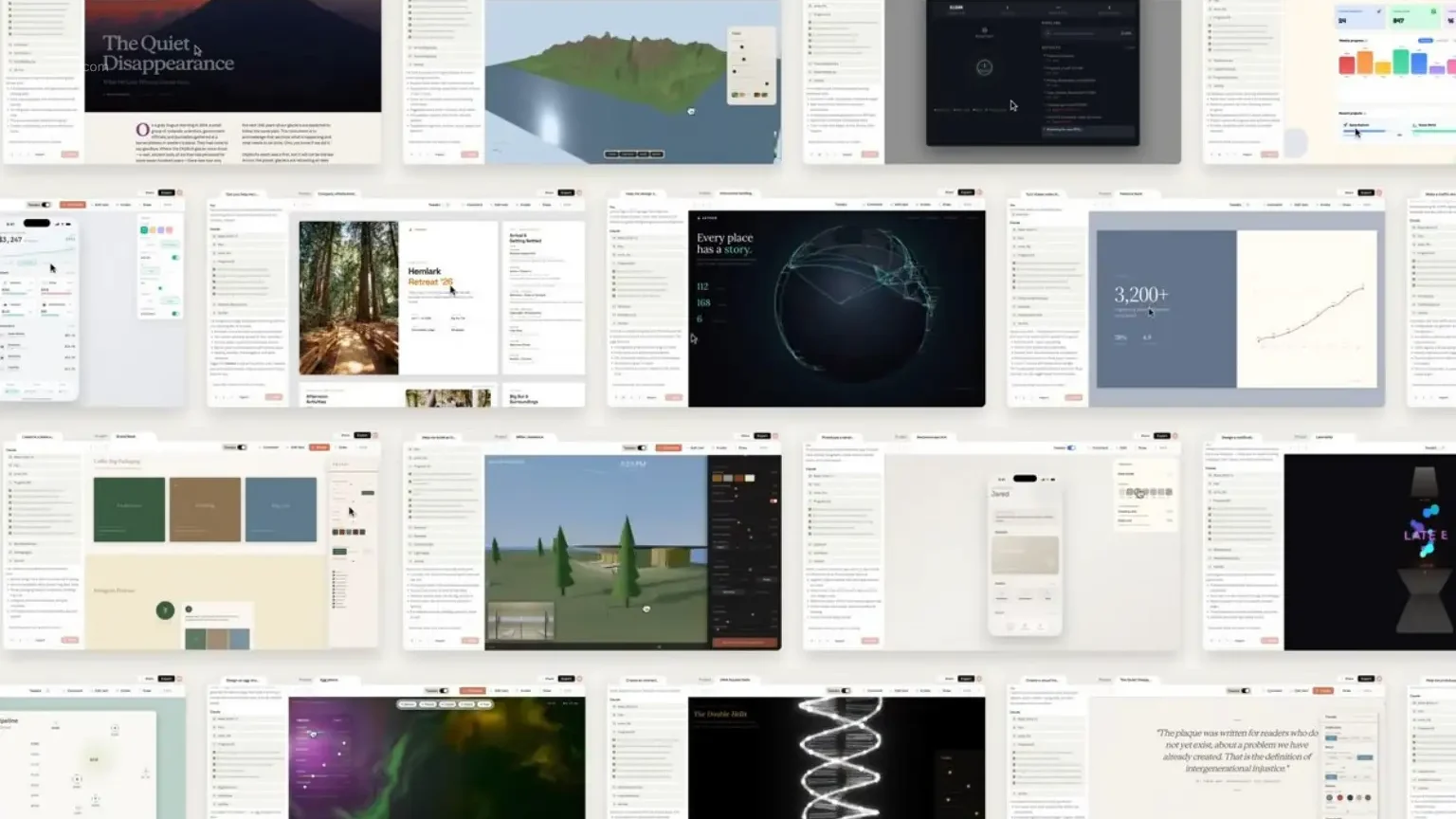
Claude Design’s most significant capability is generating fully clickable HTML and JavaScript prototypes from a text description. Describe a meditation app with a specific color palette, a home screen tracking feature, and a particular navigation structure — and Claude Design produces an interactive version within seconds.
Early users report that the most complex pages — ones that required 20 or more prompts to recreate in competing tools — needed only two in Claude Design. For product teams running rapid validation cycles, this compression of the ideation-to-prototype timeline is the tool’s most immediately impactful feature.
Design System Builder — Brand Consistency at Scale
During onboarding, Claude Design reads your existing codebase and design files to build a design system for your team. Every subsequent project automatically applies your colors, typography, and component library — without manual re-specification on every prompt.
Teams can maintain multiple design systems simultaneously, switching between brand contexts as needed. For agencies managing multiple client brands, or companies operating sub-brands with distinct visual identities, this capability addresses one of the most consistent pain points in AI-generated design: the loss of brand consistency across sessions.
Conversational Editing and Fine-Grained Controls
The editing workflow is what separates Claude Design from static generation tools. After the initial output, refinement happens through natural conversation — “make the hero section more spacious,” “shift the color temperature warmer,” “reduce the navigation complexity.” Claude Design interprets these instructions and applies them across the full design.
For micro-adjustments, the tool generates custom sliders — interactive controls built by Claude specifically for the current design — that allow precise tweaking of spacing, color, and layout without requiring prompt re-engineering.
Code Handoff to Claude Code
When a design is ready to build, Claude Design packages everything into a handoff bundle that can be passed to Claude Code with a single instruction. This closed loop — from natural language description to interactive prototype to production-ready code — all within Anthropic’s ecosystem — is the workflow that has generated the most enthusiasm among early technical users.
Export options extend beyond the Claude ecosystem: PDF, PPTX, HTML, Canva, and internal organizational URLs are all supported, acknowledging that not every team’s next step is Claude Code.
Expert Workflow: Getting Maximum Output From Claude Design
- Start with context, not just a prompt. Claude Design’s output quality improves dramatically when given reference material at the start. Upload your existing brand guidelines, a competitor’s landing page via the web capture tool, or a rough sketch before describing what you need. The AI synthesizes reference material into the first version rather than generating from generic training data.
- Build your design system during onboarding — before your first real project. The design system is Claude Design’s most powerful consistency mechanism, but only if it is configured correctly before production work begins. Invest the onboarding session in establishing accurate brand rules. Every project after that benefits automatically.
- Use conversational editing for direction, custom sliders for precision. Describe large directional changes in conversation — “this feels too corporate, make it more approachable.” Use the generated sliders for the precise micro-adjustments that follow. This two-mode editing workflow produces faster, more accurate results than trying to describe pixel-level changes in natural language.
- Monitor token consumption on complex multi-screen projects. Claude Design draws from your existing Claude allocation. Intensive sessions — particularly those involving multi-screen flows or complex interactive elements — can exhaust weekly limits faster than expected. Plan complex projects across multiple sessions rather than attempting them in a single sitting.
- Hand off to Claude Code at the prototype stage, not the concept stage. The handoff bundle is most effective when the design has been refined through at least two or three conversational iterations. Handing off a first-generation output produces noisier code than handing off a refined, conversationally edited prototype.
Figma in 2026 — What It Still Does Better Than Anything Else
Figma holds an estimated 80 to 90 percent of the UI/UX design market. That market position did not develop because Figma is the easiest tool to start with — it developed because Figma is the most reliable tool for professional design teams running complex, multi-stakeholder workflows at scale.
Real-time collaboration remains Figma’s clearest advantage. Multiple designers, developers, and stakeholders working simultaneously on the same file, with version history, comments, and approval workflows — this is infrastructure that Claude Design, in its current research preview state, cannot replicate.
Visual polish and nuance is where professional designers consistently rate Figma above AI-generated alternatives. Figma’s design system capabilities — with Auto Layout, component variants, and interactive component states — produce outputs at a level of visual precision that Claude Design’s conversational editing cannot yet match for final production work.
Cost predictability is significant for teams managing design budgets. Figma’s per-seat pricing is fixed and predictable. Claude Design’s token-based consumption model introduces cost variability that some teams find difficult to budget for, particularly on complex projects.
Figma’s plugin ecosystem — thousands of integrations with tools like Jira, Slack, Zeroheight, and Abstract — represents years of ecosystem development that Claude Design, as a two-day-old research preview, cannot approximate.
The honest assessment: Figma is not in danger of losing its professional design team user base to Claude Design in 2026. The tools are solving fundamentally different problems for fundamentally different users.
Claude Design vs Figma: The Honest Feature-by-Feature Breakdown
| Category | Claude Design | Figma | Winner |
| Prototyping Speed | Exceptional | Good | Claude Design |
| Team Collaboration | Limited (preview) | Exceptional | Figma |
| Cost Predictability | Variable (token-based) | Predictable (per-seat) | Figma |
| Developer Code Handoff | Outstanding | Very Good | Claude Design |
| Visual Polish | Good | Exceptional | Figma |
| Design System Management | Strong (AI-driven) | Exceptional (manual precision) | Figma |
| Learning Curve | Minimal | Moderate | Claude Design |
| Export Flexibility | PDF, PPTX, HTML, Canva | Figma, PDF, CSS | Tie |
| Free Plan | ❌ Paid only | ✅ Free tier available | Figma |
| Figma File Compatibility | ❌ No .fig import | ✅ Native | Figma |
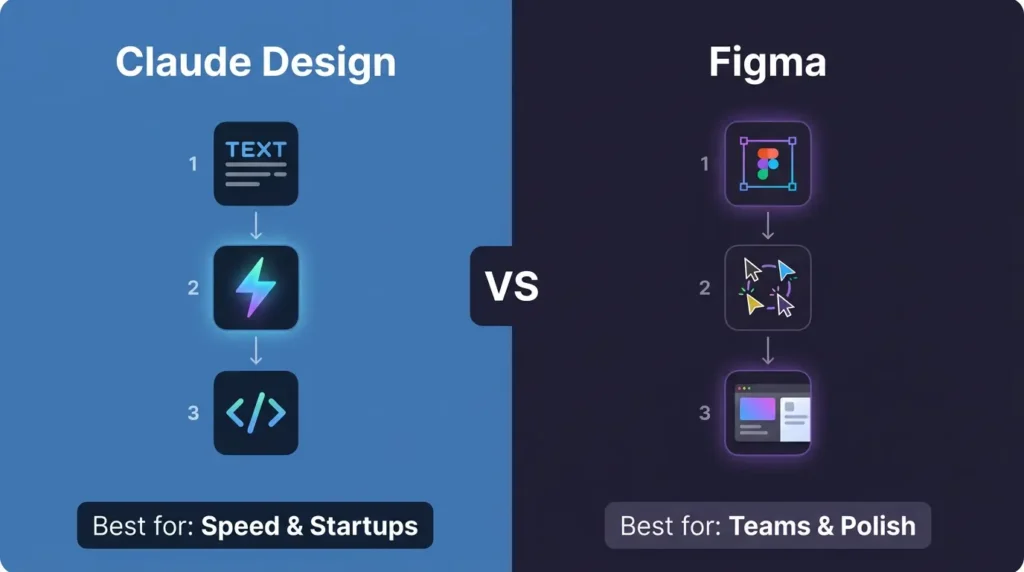
| Best For | Speed, non-designers, startups | Professional teams, complex projects | — |
Overall Score (April 2026):
- Claude Design: 7.8 / 10 — exceptional for its intended use case, early-stage constraints
- Figma: 9.1 / 10 — within its established primary use cases
What Real Users Are Saying — The First 48 Hours
The early user reactions across the design community reveal a consistent pattern: enthusiasm for the speed, caution about the limitations.
Designers on r/UXDesign identify Claude Design not as a Figma competitor but as a direct challenge to tools like Base44, Lovable, and Pencil.dev — the prototype-to-design category that sits between ideation and professional production. This framing is more accurate than the Figma comparison that dominated early headlines.
Product managers report the most unambiguous enthusiasm. The ability to go from a verbal description to a stakeholder-ready prototype without waiting for a designer’s availability — and without needing Figma expertise — addresses one of the most consistent bottlenecks in product development cycles.
Professional designers’ reactions are more measured. The consensus on r/FigmaDesign is that Figma is not going anywhere overnight. The 80 to 90 percent market share in UI/UX represents deep workflow integration that does not shift on the basis of a single research preview launch. The more interesting conversation is about how Claude Design changes the front end of the design process — the exploration and ideation phase — rather than replacing the production phase where Figma dominates.
One observation from r/ClaudeAI carries practical weight: the token consumption on intensive design sessions is higher than many users anticipated. Managing usage across complex multi-screen projects requires planning that the tool’s current interface does not make obvious upfront.
Known Limitations — What Claude Design Cannot Do Yet
Honest Claude Design vs Figma analysis requires acknowledging where Claude Design falls short of professional-grade deployment:
High token consumption on complex projects. Multi-screen flows and complex interactive prototypes exhaust weekly allocations faster than expected. This is the most consistently reported practical constraint in early testing.
No native Figma file compatibility. There is currently no direct import or export of .fig files. Teams with existing Figma libraries cannot bring those assets directly into Claude Design.
Visual consistency requires oversight. Maintaining precise brand standards across extended prompt sequences still requires active management. The design system helps, but it is not a fully automated consistency guarantee.
Occasional interactive element bugs. Some clickable elements in generated prototypes require manual correction before they are reliable for user testing.
Collaboration infrastructure is early. Organization-scoped sharing exists, but the real-time multi-user collaboration that Figma provides is not yet available in the research preview.
No free access. Unlike Figma’s free tier, Claude Design is only available to paid subscribers — Pro ($20/month), Max ($100-$200/month), Team, or Enterprise. This limits experimentation for individuals evaluating the tool without an existing Claude subscription.
Frequently Asked Questions
Is Claude Design free? No. Claude Design is only available to Claude Pro, Max, Team, and Enterprise subscribers. There is no free tier. Pro starts at $20/month. Enterprise users receive a one-time credit covering approximately 20 prompts, expiring July 17, 2026.
Does Claude Design replace Figma? Not in 2026 for professional design teams. Claude Design excels at speed, early prototyping, and the ideation phase. Figma maintains clear advantages in collaboration, visual precision, and team-scale production workflows. Most teams adopting Claude Design are using it alongside Figma, not instead of it.
Why did Figma’s stock drop when Claude Design launched? Figma dropped between 4.26% and 7.7% on April 17, 2026, reflecting market concern about long-term competitive pressure from AI-native design tools. The drop also coincided with Anthropic’s chief product officer resigning from Figma’s board days before the announcement — a signal the market interpreted as indicating a more direct competitive stance than Anthropic’s official “complement, not replace” positioning suggests.
Does Claude Design use my existing Claude subscription quota? Claude Design has its own separate weekly usage limits that sit alongside your existing chat and Claude Code quotas — not inside them. You are not trading chat messages for design prompts. However, intensive design sessions do consume Claude tokens at a rate that heavy users should monitor.
Which tool is better for non-designers? Claude Design, without qualification. The entire product is built around the premise that you should not need design expertise to produce visual work. Figma’s learning curve — Auto Layout, component variants, design system architecture — requires meaningful investment before producing professional-quality output.
Why are designers leaving Figma? The more accurate framing is that designers are adding Claude Design to their workflow rather than leaving Figma. The tools address different phases of the design process. Claude Design is attracting the exploration and ideation work that previously either happened in Figma or did not happen at all due to time constraints.
Can Claude Design handle complex multi-screen applications? Yes, but with planning. Token consumption on complex multi-screen projects is the most consistently reported practical limitation. Experienced users are breaking complex projects across multiple sessions rather than attempting them in a single sitting to manage allocation effectively.
The Verdict: Claude Design vs Figma — Who Wins in 2026?
The Claude Design vs Figma comparison resolves differently depending on who is asking.
Claude Design wins for: Solo founders, product managers, marketers, and engineers who need to turn ideas into shareable visual work quickly — without design expertise, without waiting for a designer, and without learning a professional design tool’s interface. The productivity gains in the ideation and early prototyping phases are real and immediate.
Figma wins for: Professional design teams running complex, multi-stakeholder product development workflows where visual precision, real-time collaboration, and predictable team-scale infrastructure are non-negotiable.
The practical recommendation:
- Solo founders and product managers → Adopt Claude Design now. The speed advantage in early-stage work is substantial, and the learning curve is minimal.
- Marketing and content teams → Claude Design handles pitch decks, social assets, and one-pagers faster than any alternative. Start experimenting immediately.
- Professional design teams → Consider Claude Design as a front-end exploration tool that feeds into your Figma workflow. Use it for rapid ideation and stakeholder-ready first drafts; finish in Figma.
- Agencies and larger product organizations → A hybrid workflow makes the most sense for 2026: Claude Design for speed and exploration, Figma for production and collaboration.
The design landscape is moving faster than at any point in the industry’s history. Claude Design is two days old. The next several months of updates will determine how quickly it matures beyond research preview into a daily driver for professional teams.
What is already clear is that the Claude Design vs Figma conversation is not going away — and the teams building fluency in both tools now will have a significant advantage over those who wait to decide.
Adrian Cole is a professional AI technology reviewer and creative technologist at aireviewcore.com, covering AI tools, design technology, and workflow innovation with a focus on practical professional applications.
© 2026 aireviewcore.com — All rights reserved.