
Stop Using One AI for Everything. Here Is the Smarter Approach. | By Adrian Cole | aireviewcore.com
Most people use the wrong AI tool for many of their tasks — and they do not realize it. That is not a criticism. It is just how the market evolved. ChatGPT launched first. Most people tried it, found it impressive, and stopped looking. The problem is that ChatGPT is not always the best choice for research-heavy or document-heavy tasks, or for tasks that require working with specific files you already have.
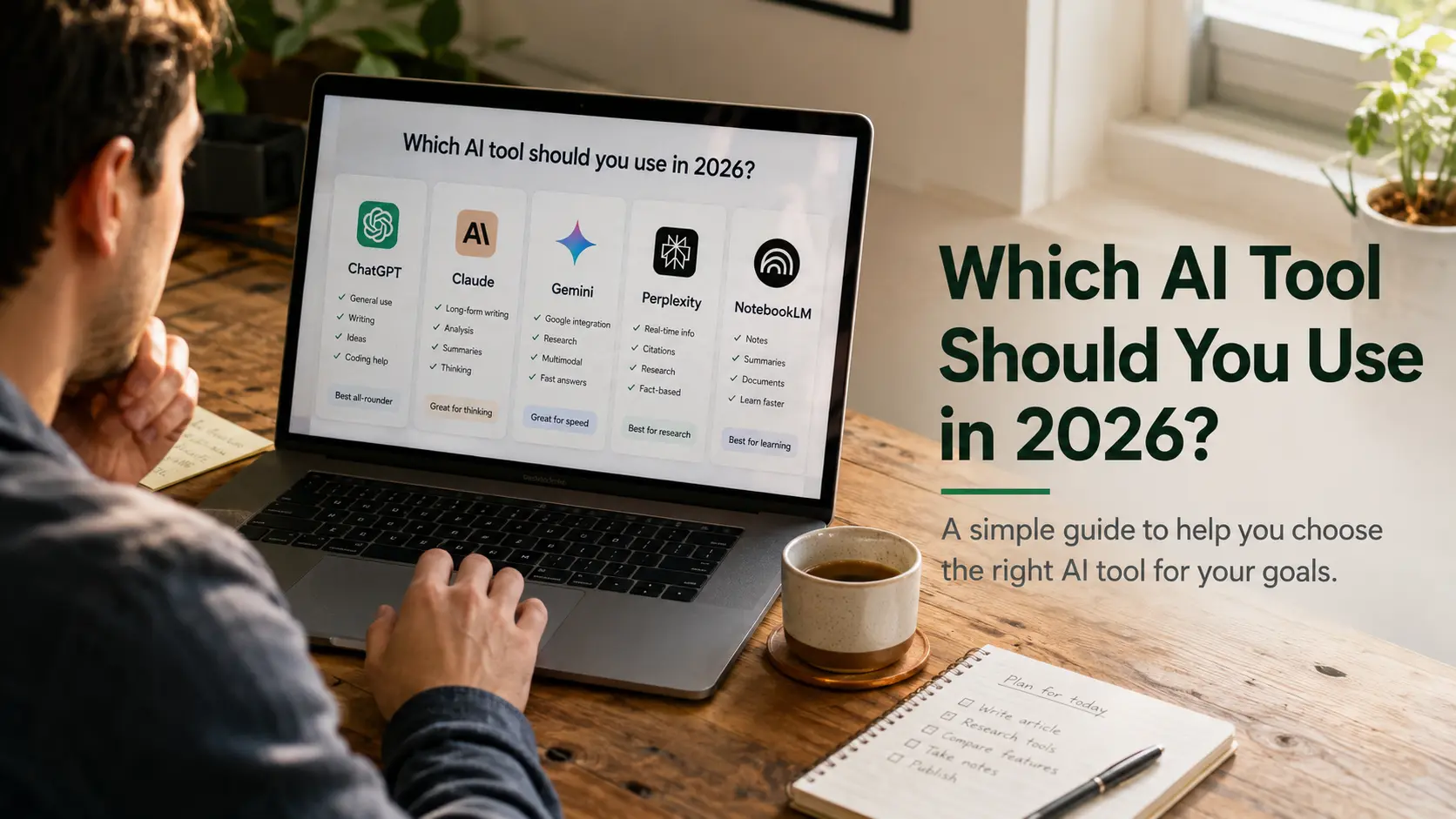
Each tool in this guide has a clear strength that makes it a better choice for specific tasks. ChatGPT is especially strong at following complex instructions without losing steps. Gemini is especially useful for video, audio, and very large files. Claude often produces cleaner first-draft writing and more usable first-pass code than many competing tools. Perplexity is built to find accurate information with real citations. NotebookLM answers from your uploaded sources, which helps reduce hallucination risk.
This guide is designed to answer a simple question: which AI tool should you use in 2026 for the tasks you do every day?
Once you understand what each tool does best, the question is no longer which AI to use in general. It is which AI to use for this specific task right now. This guide answers that question directly — for beginners who are just starting and for experienced users who want to make sure they are using the right tool for each part of their workflow.
Why You Need More Than One AI Tool
Here is the honest reality of the AI market in 2026: every major AI tool charges around $20 per month. ChatGPT Plus is $20. Claude Pro is $20. Perplexity Pro is $20. <cite index=”43-1″>Google AI Pro is $19.99</cite>. The price coordination is not accidental — it reflects genuine competition between tools that are genuinely different rather than genuinely interchangeable.
If these tools were doing the same thing, they would not all have survived at the same price. They are surviving because they are each doing something the others do not do as well. The creator community has figured this out. <cite index=”39-1″>Independent testing across dozens of prompts and four major AI assistants shows no single winner. Each assistant has a distinct sweet spot, and the practical answer for most users is to use two or three in parallel.</cite>
You do not need all five tools in this guide. You need the two or three that match how you actually work. This guide helps you figure out which ones those are.
Which AI Tool Should You Use in 2026?
Before reviewing individual tools, it helps to understand why these five tools exist in two distinct categories.
Everyday AI tools — ChatGPT, Gemini, and Claude — are general-purpose assistants designed to handle a wide range of tasks from a single interface. They write, they code, they analyze, they summarize. The differences between them are about which types of tasks each one handles best, not about whether they can handle a task at all.
Specialist AI tools — Perplexity and NotebookLM — do one thing and do it better than any general-purpose tool. Perplexity finds accurate, cited information from the live web. NotebookLM answers questions only from documents you have provided. These tools are not replacements for the everyday AI tools. They are the tools you reach for when a specific job requires something that general-purpose AI cannot do reliably.
Part One: Everyday AI
ChatGPT — Multi-Step Workflows and Broad Everyday Tasks
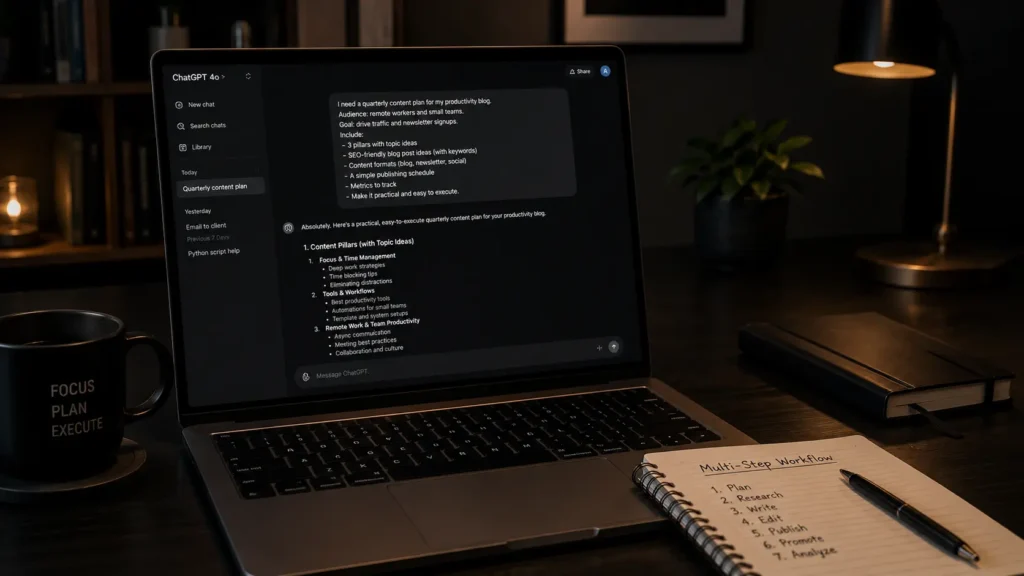
ChatGPT is the AI tool that most people tried first, and for good reason. It is the most forgiving general-purpose AI for users who are learning, and one of the most reliable tools for tasks that involve multiple steps that need to be completed in a specific sequence without dropping any of them.
The practical strength that separates ChatGPT from its competitors is instruction-following on complex, multi-step requests. When you give ChatGPT a detailed prompt that involves doing ten things in a specific order — research this, then reformat it, then create a table from the results, then write a summary in a specific tone — it completes all ten steps in the right sequence. In complex multi-step prompts, ChatGPT is often more reliable at keeping the sequence intact than other tools.
ChatGPT also has the broadest ecosystem. Custom GPTs allow you to build specialized versions of ChatGPT for specific recurring tasks. DALL‑E image generation is built in. Voice mode allows hands-free use on mobile. File analysis, simple data visualization, and web browsing are all available from the same interface.
When to use ChatGPT:
Use it when the task involves multiple steps that need to happen in a specific sequence, when you are building a workflow that needs to repeat reliably, when you need image generation alongside text work, or when you are a beginner who wants one tool that handles a wide range of tasks without major surprises. If your main problem is executing long, structured prompts correctly, ChatGPT is often the best answer to the question of which AI tool you should use in 2026 for complex workflows.
When not to use it:
ChatGPT can produce generic output when given generic inputs. For writing tasks where the quality of the final copy matters — not just that the task was completed — Claude is often the preferred choice. For research tasks where citations are critical, Perplexity is more reliable.
Expert Workflow:
The single most effective ChatGPT technique is front-loading context. Before asking ChatGPT to do anything, tell it who you are, what you are trying to accomplish, who the output is for, and what format you want. A prompt that spends two sentences establishing context before making the request consistently produces better output than a request that jumps straight to the task. ChatGPT is a tool that performs in proportion to the quality of the instructions it receives.
Quick facts:
- Best for: Multi-step workflows, instruction-following, broad everyday tasks
- Free plan: Yes — limited GPT‑5.4 access
- Paid plan: ChatGPT Plus $20/month · higher tiers for power users
- Image generation: Yes — built in
- Voice mode: Yes
- Context window: Standard — not the largest in this guide
Expert verdict:
ChatGPT is the right everyday AI for users who need reliable execution of complex, multi-step instructions and want the broadest feature set from a single interface. It is not always the strongest choice for polished writing or source-first research workflows, but it handles more types of tasks in a single session than any other tool in this guide.
Gemini — Files, Video, Audio, and Google Workspace
Gemini is the AI that most people underestimate until they try it on the tasks where it is uniquely capable. Gemini stands out for handling video, audio, and very large files in a single workflow. It can handle massive documents — including 500‑page PDFs, hour‑long audio recordings, and large codebases — without always requiring you to break them into smaller pieces first.
<cite index=”39-1″>One of Gemini’s biggest advantages in 2026 is integration. Gemini in Gmail actually uses your emails. Gemini in Docs actually uses your docs. Gemini in Sheets actually understands your data. The assistant capability at this integration depth is meaningfully more useful than standalone chat.</cite>
If you use Google Workspace for your work — Gmail, Google Docs, Google Sheets, Google Drive — Gemini is the AI that actually knows what is in those files. Other AI tools require you to copy and paste content from your documents into a chat window. Gemini reads them directly.
Its multimodal workflow is one of its most useful practical advantages. If you have a video, an audio file, an image, and a PDF that all relate to the same project, Gemini can process all of them together. No other tool in this guide handles that combination without requiring you to use multiple separate tools for different file types.
When to use Gemini:
Use it when working with video, audio, or large files that other AI tools cannot process. Use it when you work in Google Workspace and want an AI that understands your actual documents. Use it when you need to work with very long text — Gemini has one of the largest context windows available to consumer users.
When not to use it:
<cite index=”39-1″>Gemini 3.1 Pro’s raw model quality has closed the gap with Claude and ChatGPT, but for pure writing quality, Claude often produces more polished prose on the first attempt.</cite> Use Gemini for its file processing and integration advantages, not as your default writing tool.
Expert Workflow:
Connect Gemini to your Google Workspace before using it for anything work-related. The integration setup takes a few minutes and transforms Gemini from a generic assistant into something that actually knows your context. For video processing, upload the video directly rather than providing a YouTube link — direct upload usually produces more reliable analysis than link-based processing.
Quick facts:
- Best for: Video, audio, large files, Google Workspace integration
- Free plan: Yes — Gemini 1.5 Flash access
- Paid plan: Google AI Plus, AI Pro, and higher tiers (around $7.99–$19.99/month for most users)
- Context window: Up to 1 million tokens — largest in this guide
- Multimodal: Yes — video, audio, image, text, code
- Workspace integration: Native — Gmail, Docs, Sheets, Drive
Expert verdict:
Gemini is the right tool for any task that involves processing large files, working with video or audio, or working directly with documents that already live in Google Workspace. Its file processing capability is genuinely unique at the consumer tier — no other tool in this guide handles these tasks as reliably.
Claude — High-Quality Writing and Code
Claude is the AI that professional writers, developers, and content teams reach for when the quality of the output matters more than anything else.
The specific capability that separates Claude from every other tool in this guide is producing working code and polished copy on the first attempt. Other AI tools write code that requires debugging, write copy that requires heavy editing, and produce first drafts that serve as starting points rather than finished outputs. Claude often produces outputs that are closer to done than other tools across writing and coding tasks.
<cite index=”42-1″>For complex reasoning about abstractions, Claude is the recommended tool. Claude remains the model many researchers and writers reach for first when output quality matters.</cite>
The 1 million token context window — the same order of magnitude as Gemini — means Claude can handle book-length documents, large codebases, or months of research notes in a single conversation. For writers working on long-form content and developers working with large files, this context capacity is practically meaningful rather than just a benchmark figure.
Claude also has one of the most transparent approaches to honesty of any tool in this guide. When Claude does not know something, it is more likely to say so rather than generate a plausible-sounding answer. This matters most for research and fact-checking tasks where confident-sounding incorrect information is more damaging than an acknowledged knowledge gap.
When to use Claude:
Use it when you need writing that sounds genuinely human and does not require significant editing before it is publishable. Use it when you need code that actually runs without debugging. Use it for long documents where you need consistent quality across thousands of words, not just the first paragraph.
When not to use it:
Claude’s free plan is more limited than ChatGPT’s for daily heavy use. For real-time web research with citations, Perplexity is the more reliable tool. Claude has access to web search, but Perplexity was built specifically for research in a way that Claude was not.
Expert Workflow:
Give Claude your existing work before asking it to create new work. Paste in a sample of writing you have already produced that you are happy with, and ask Claude to match that style and quality in its output. Claude’s style-matching capability is one of its strongest practical features — it adapts to your voice rather than imposing its own, which is what makes the output feel genuinely human rather than AI-generated.
Quick facts:
- Best for: High-quality writing, working code, long documents
- Free plan: Yes — limited daily usage
- Paid plan: Claude Pro around $20/month; higher tiers for Max users
- Context window: Up to 1 million tokens
- Code quality: Strong first-attempt accuracy
- Honesty: Explicitly acknowledges knowledge gaps more often than many tools
Expert verdict:
Claude is the right tool when the quality of the output is the primary requirement. For writing that needs to be publishable and code that needs to run without debugging, Claude often outperforms the other tools in this guide on first-attempt output quality.
Part Two: Specialist AI
Perplexity — Research with Live Citations
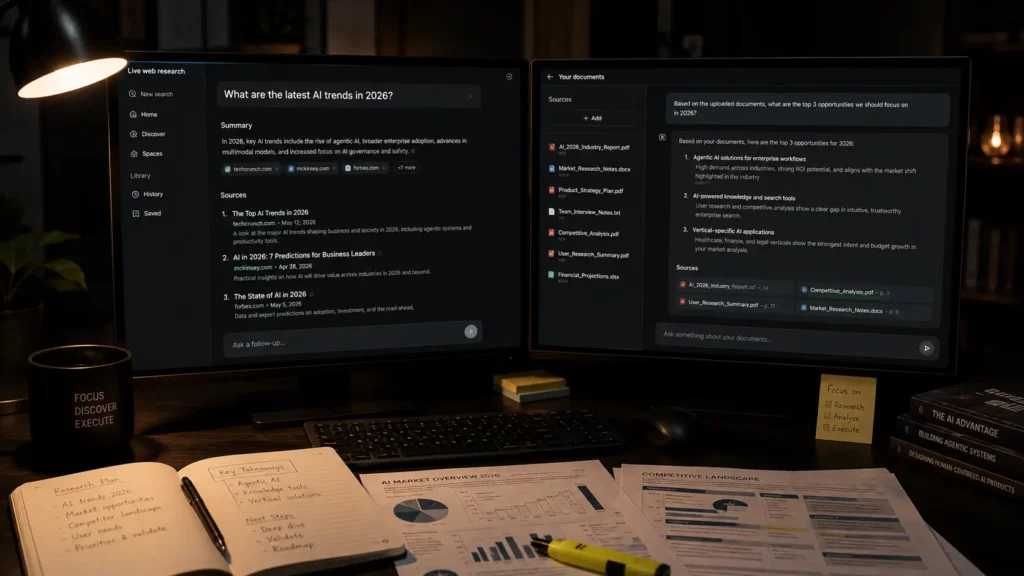
Perplexity is not a general-purpose AI assistant. It is a specialized AI-powered research tool, and that specialization is the reason to use it.
The core difference between Perplexity and the everyday AI tools above is what happens when the model does not know something. ChatGPT, Claude, and Gemini will generate a plausible-sounding answer based on their training data — which may be months or years old and may not be accurate. Perplexity searches the live web, finds current information, and cites exactly where the information came from. You can click through to the source. You can verify the claim. You know where the answer came from.
<cite index=”42-1″>For academic, legal, journalistic, analyst, and medical research work, Perplexity is irreplaceable. You can get ChatGPT or Claude to cite sources, but Perplexity does it natively and reliably.</cite>
The practical implication for anyone doing research — students writing papers, journalists fact-checking claims, analysts preparing reports, professionals making decisions based on current information — is significant. Perplexity is generally more reliable than many general-purpose AI tools when surfacing real, clickable citations. The links it provides are real links to real pages that contain the information it cited. General-purpose AI tools can cite sources too, but Perplexity is built around that workflow in a more dependable way.
When to use Perplexity:
Use it for any research task where you need current information with verifiable sources. Use it when you are fact-checking a claim, gathering background on a topic, or building a knowledge base that needs to be accurate rather than just plausible.
When not to use it:
<cite index=”42-1″>Perplexity is not a creative tool. The writing output is functional but uninspired. Long-form drafting is better done elsewhere.</cite> Perplexity is a research tool, not a writing tool. Use it to gather accurate information, then take that information into Claude or ChatGPT for writing and analysis.
Expert Workflow:
Use Perplexity as the first step in any research workflow, not the only step. Gather your facts, citations, and current information in Perplexity, then paste the research findings into Claude or ChatGPT for synthesis, analysis, and writing. This two-tool workflow produces more accurate and better-written output than using either tool alone — Perplexity for accuracy, Claude or ChatGPT for quality.
Quick facts:
- Best for: Research, fact-checking, current information with citations
- Free plan: Yes — limited Pro searches per day
- Paid plan: Pro around $20/month; higher tiers for teams
- Citation quality: Strong — real, verifiable links
- Web access: Real-time — not just training data
- Writing quality: Functional but not creative
Expert verdict:
Perplexity is the right tool for any task where accuracy and source verification matter. It does one thing better than any other tool in this guide — find and cite accurate, current information — and that specialization makes it genuinely indispensable for research-driven workflows.
NotebookLM — Working with Your Own Documents
NotebookLM solves a problem that the other four tools in this guide create: they can hallucinate. They can generate confident-sounding answers that are partially or completely wrong. For tasks where you need answers to come only from specific documents you already have — and not from the AI’s general knowledge or imagination — this is a critical limitation.
NotebookLM answers only from documents you have uploaded. If the answer is not in your documents, it says so. <cite index=”42-1″>NotebookLM is designed to stay grounded in the sources you upload, which makes it especially useful for document-based Q&A.</cite> This is not a limitation — it is the feature. When you are working with a legal contract, a research paper, a set of meeting notes, or any document where you need answers to come from the actual content rather than AI inference, NotebookLM is the right tool.
The Audio Overview feature generates a podcast-style discussion of your uploaded documents, which is a genuinely useful way to absorb dense content — listening to an AI-generated dialogue about a complex paper while commuting is often more efficient than trying to read it at a desk.
When to use NotebookLM:
Use it when you need to extract information from specific documents you already have. Research papers, legal documents, meeting notes, company reports, textbooks, long PDFs — NotebookLM processes all of these and answers questions about them without mixing in information from outside your sources.
When not to use it:
NotebookLM is not a creative tool and not a general-purpose assistant. It cannot answer questions about topics not covered in your uploaded documents, it cannot browse the web, and it cannot write original content. It is exclusively a tool for working with documents you have provided.
Expert Workflow:
Upload all sources for a project before starting any queries. NotebookLM’s answers improve significantly when multiple related documents are available because it can synthesize across sources rather than relying on a single document. For research or study projects, uploading five to ten related sources before starting produces meaningfully better synthesis than uploading documents one at a time as questions arise.
Quick facts:
- Best for: Working with specific documents — document-grounded Q&A
- Free plan: Yes — full core features
- Paid plan: NotebookLM Plus typically included with Google AI Pro tiers
- Hallucination risk: Very low for source-grounded Q&A
- Web access: No — answers only from uploaded sources
- Audio summaries: Yes — podcast-style overview of your documents
Expert verdict:
NotebookLM is the right tool when you need to work with documents you already have and you cannot afford to get wrong answers. Its source-grounded approach fills a gap that general-purpose AI tools do not always handle reliably.

The Complete Comparison
| Tool | Best for | Free plan | Paid plan (approx.) | Hallucination risk | Context window |
| ChatGPT | Multi-step instructions, broad everyday use | Yes | Around $20/month | Medium | Large |
| Gemini | Files, video, audio, Google Workspace | Yes | Google AI Plus / Pro | Medium | Very large |
| Claude | Writing quality, working code, long docs | Yes | Around $20/month | Low–Medium | Very large |
| Perplexity | Research with live citations | Yes | Around $20/month | Low for sourced research | Standard to large |
| NotebookLM | Your own documents, document-based Q&A | Yes | Included in Google AI tiers | Very low for source-grounded Q&A | Large |
Which AI Tool Should You Use in 2026 for Your Main Task?
Instead of asking which AI tool is best overall, ask which AI tool you should use in 2026 for the next specific task on your list:
- Writing a first draft that needs to be publishable: Claude.
- Following a complex 10‑step workflow without losing steps: ChatGPT.
- Processing a video, audio file, or very large document: Gemini.
- Finding current, accurate information with verifiable citations: Perplexity.
- Answering questions from specific documents you already have: NotebookLM.
- Working directly with Gmail, Google Docs, or Google Sheets: Gemini.
- Writing code that runs without debugging: Claude.
- Fact-checking a claim or gathering sourced research: Perplexity.
- Summarizing a research paper or textbook chapter: NotebookLM.
- Building a repeatable workflow that involves multiple steps: ChatGPT.
Frequently Asked Questions
Which AI tool is best overall in 2026?
There is no single best tool for every task. ChatGPT, Claude, Gemini, Perplexity, and NotebookLM each lead in different task categories. The most useful approach in 2026 is using two or three tools that match your specific workflow rather than searching for one tool that does everything.
Do I need to pay for AI tools in 2026?
Not necessarily. <cite index=”38-1″>Free plans are deliberately useful enough to keep you in the ecosystem — the cost being slower responses, fewer messages per day, or no access to the best models.</cite> All five tools in this guide offer functional free plans. The $20 paid tier adds meaningful capability for daily heavy users but is not required to start.
Is ChatGPT or Claude better for writing?
Claude produces better first-draft writing quality consistently across independent testing. ChatGPT is better for following complex multi-step instructions. For creative writing and copy that needs minimal editing, Claude is the stronger choice. For structured workflows that involve many steps, ChatGPT is more reliable.
What is NotebookLM and why is it different?
NotebookLM is a Google tool that answers questions only from documents you have uploaded. It cannot browse the web and cannot answer questions about topics not in your sources. This restriction is its primary advantage — it produces accurate, cited answers from your documents without making things up.
Can I use Perplexity instead of Google Search?
For research-oriented searches where you need a synthesized answer with sources rather than a list of links, Perplexity is often faster and more useful than Google Search. For navigational searches — finding a website, looking up a business — Google Search is still more practical.
How much does it cost to use all five tools?
All five tools are free to use at the basic tier. If you upgrade ChatGPT, Claude, and Perplexity to their $20/month paid plans, and use Gemini and NotebookLM free, the total is about $60 per month. Most users who try all five tools find that two or three cover 90% of their needs.
How to Decide Which AI Tool You Should Use in 2026
The easiest way to put this guide into practice is to start with one new tool rather than five.
- If most of your AI work is writing — emails, reports, articles, social posts — start with Claude. Compare the quality of its first drafts to what you currently get from your existing tool. If the difference is meaningful, Claude has earned its place in your workflow.
- If most of your AI work is research — gathering information, fact-checking, staying current on a topic — start with Perplexity. Run your next five research tasks through it and check whether the citations lead to real, accurate sources. If they do, Perplexity has earned a permanent spot.
- If you work with Google Workspace daily, set up Gemini for two weeks and use it for tasks that involve your actual Gmail and Google Docs. The integration advantage is not obvious until you experience it.
Add the other tools one at a time as specific needs arise. The goal is not to use all five every day — it is to have the right tool available when a specific type of task demands it. By matching each job to the tool that does it best, you will always know which AI tool you should use in 2026 instead of forcing one model to do everything.
For a detailed breakdown of how Claude specifically compares to GPT‑5.6 on benchmarks and pricing, see our guide on the best AI model right now.
For a complete breakdown of Claude’s pricing tiers and which plan makes sense for your usage level, see our Claude AI Pricing guide.
Adrian Cole is a technology reviewer at aireviewcore.com covering AI tools, model comparisons, and practical guides for professionals and everyday users choosing between AI products.
© 2026 aireviewcore.com — All rights reserved.