
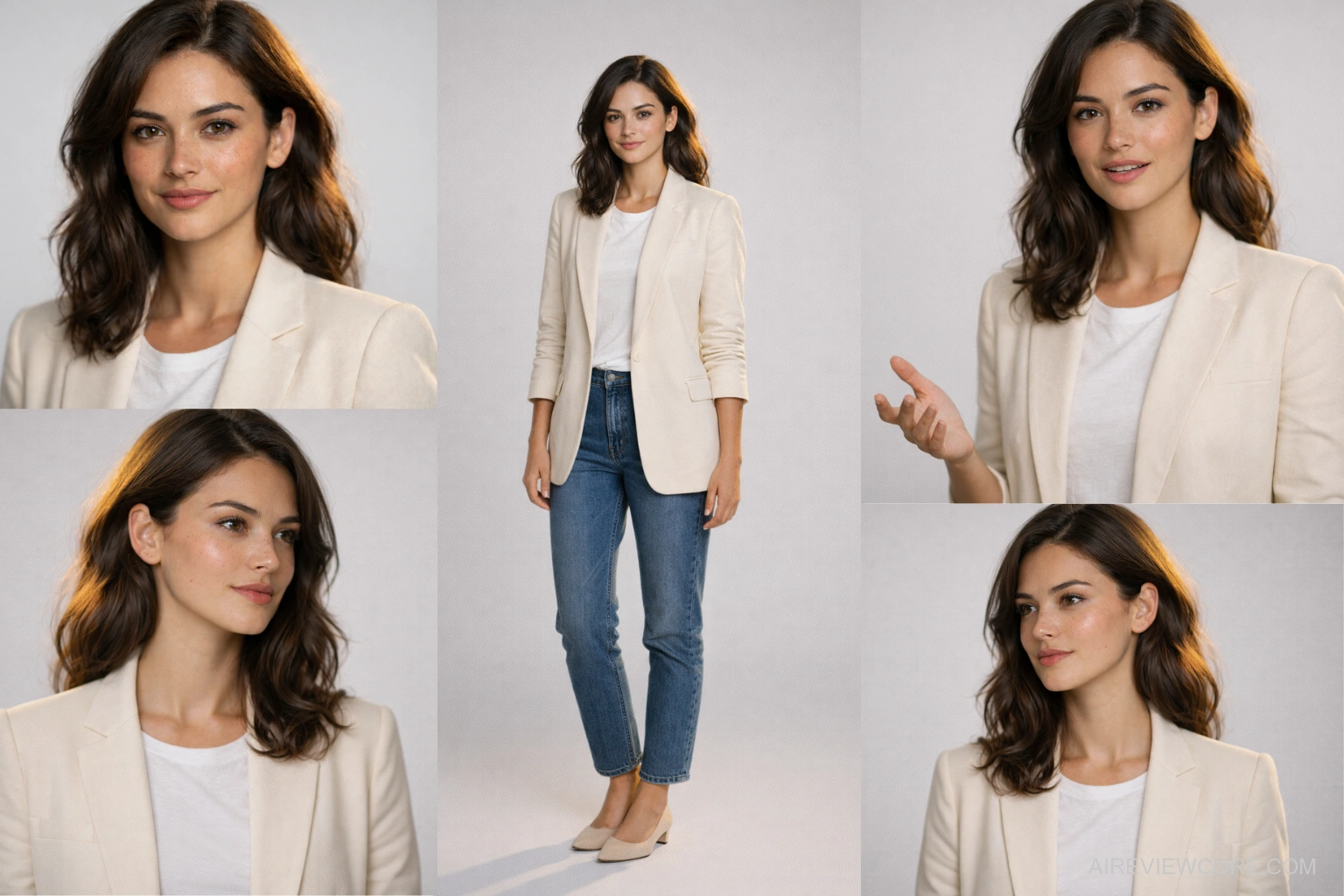
5 Tools That Build, Animate & Scale a Virtual Influencer From Scratch
A Complete Authority Guide for Content Creators & Digital Marketers
This guide covers the best AI Influencer Tools 2026
has to offer — tested, ranked, and mapped into a
complete production workflow.
The Content Creation Crisis No One Wants to Admit
Let’s be honest about the real cost of traditional content creation in 2026. Hiring a human influencer for a single campaign means negotiating contracts, managing schedules, dealing with creative disputes, weathering the inevitable PR crisis, and then starting over when they switch niches. A mid-tier influencer with 500K followers charges between $5,000 and $15,000 per sponsored post. A production crew for a single YouTube video runs $3,000 to $10,000. And after all that investment, you own nothing — not the face, not the voice, not the persona.
Meanwhile, the creators who figured out AI influencers early are publishing daily across Instagram, TikTok, and YouTube with a team of one, production costs under $100/month, and a persona they own completely — one that never gets tired, never has a bad day on camera, and can speak 175 languages without a single re-recording session. Many creators also use AI content writing tools to generate scripts and captions for their virtual influencers.
This is not a future trend. It is the present competitive reality. The question is no longer whether AI influencers work — it is whether you understand the production stack well enough to build one that actually converts.
This guide gives you that stack. Five tools, each solving a distinct problem in the AI influencer production lifecycle, mapped in the exact order you should use them.
The Production Stack: How the 5 Tools Connect
Before diving into each tool, understand how they function as an integrated system — not as isolated applications:
Step 1 → Flux.1 Lock your influencer’s visual identity (face, features, style)
Step 2 → Higgsfield Bring them to cinematic life with Hollywood-grade motion
Step 3 → Kling 3.0 Scale to multi-shot sequences with locked character consistency
Step 4 → HeyGen Add voice, clone your persona, translate to 175+ languages
Step 5 → Grok AI Publish daily from your phone, scale without a desktop
Each tool hands off to the next. Skip a step, and the entire stack underperforms. Follow it in sequence, and you have a production pipeline that rivals teams of ten
Tool 1: Flux.1 — The Image Foundation Every AI Influencer Is Built On
Here is the uncomfortable truth most AI influencer tutorials skip: your entire visual stack is only as strong as your base image. Feed a mediocre image into Higgsfield, Kling, or HeyGen, and you will get mediocre output — regardless of how sophisticated your animation workflow is. Garbage in, garbage out.
Flux.1, developed by Black Forest Labs, is the model that solves this problem at the root. It currently ranks as the highest-performing open-source text-to-image model available — outperforming Stable Diffusion, Midjourney, and DALL-E 3 on prompt adherence, facial detail, skin texture, and compositional complexity. For AI influencer creators, this translates into one critical outcome: a base image so convincing that every downstream tool has premium raw material to work with
Creating a realistic AI influencer starts with choosing the right image generation model. Flux.1 is currently one of the most powerful foundations for building a high-quality AI influencer identity.
How Flux.1 Helps Create a Realistic AI Influencer
⦁ Flux.1 Pro — Maximum realism, ideal for commercial campaigns. Access via paid API (Black Forest Labs direct or Fal.ai).
⦁ Flux.1 Dev — High-quality influencer base images. Best accessed via Leonardo AI or Fal.ai. This is your primary working model.
⦁ Flux.1 Schnell — Rapid prototyping and concept testing. Available on most free tiers. Use it to validate your character concept before committing credits to Dev.
Expert Workflow: Building Your Influencer’s Visual Identity
⦁ No-code entry point. Use Leonardo AI as your primary Flux.1 interface.
Leonardo AI offers daily free credits and a clean workspace with direct access to Flux.1 Dev and Schnell. No GitHub, no Python, no local setup required. Sign up with Google, select Flux.1 Dev from the model dropdown, and you are generating production-quality influencer base images within minutes. For higher volume — 50+ images per month — migrate to Fal.ai for faster throughput and API access.
⦁ Character bible method. Engineer your prompt around your influencer’s locked identity.
Flux.1’s most powerful capability for Ai influencer creators is its exceptional prompt adherence. Structure every character prompt with five locked layers: [Physical features] + [Expression] + [Wardrobe] + [Lighting] + [Camera specs]. Example: “Young woman, late 20s, sharp jawline, warm olive skin, confident neutral expression, oversized cream linen blazer, soft diffused studio lighting, shot on Sony A7IV 85mm f/1.4, shallow depth of field, white seamless background.” This locked description becomes your character bible — use it verbatim across every Flux generation to maintain identity consistency.
⦁ Credit-saving strategy. Generate at 1024×1024 minimum, then upscale.
Flux.1 Dev produces its sharpest facial details at 1024×1024 resolution. Generate your approved character image at this resolution, then run it through Leonardo AI’s built-in upscaler or Higgsfield’s Skin Enhancer app to reach 2K-4K output. This two-step approach costs significantly fewer credits than generating at maximum resolution from the start.
⦁ Essential for downstream tools. Build a multi-angle reference pack before moving to video.
A single Flux.1 image is not enough for a production-ready AI influencer. Use your locked character prompt to generate 6-8 variations across different expressions (neutral, smiling, focused, surprised) and slight angle variations (front-facing, 3/4 left, 3/4 right). This reference pack becomes the input library for tools used to animate and scale a full AI influencer workflow
Pricing Overview
| Platform | Plan | Cost | Flux.1 Access |
| Leonardo AI | Free | $0/month | 150 daily tokens — Dev + Schnell |
| Leonardo AI | Artisan | $12/month | 8,500 tokens/month, priority gen |
| Fal.ai | Pay-as-you-go | ~$0.003-0.05/image | Pro, Dev, Schnell via API |
| Black Forest Labs | API Direct | Usage-based | Flux.1 Pro — highest fidelity |
Pro Note: Start with Leonardo AI’s free tier to validate your character concept. Once your influencer’s look is confirmed and you are moving into full production, migrate to Fal.ai for faster throughput and direct API integration.
Expert Verdict: Flux.1 is the silent foundation every high-performing AI influencer is built on — because the model that generates your character’s face determines the ceiling of every tool that comes after it, and nothing in the open-source ecosystem currently touches its prompt fidelity and facial detail at this price point
Tool 2: Higgsfield.ai — The Cinematic Engine Behind Every Viral AI Influencer
If you have ever watched an AI-generated video and thought ‘that looks like it was shot on a real film set’ — there is a good chance Higgsfield was behind it.
Most AI video tools give you motion. Higgsfield gives you production value. It is the only platform that lets you generate images and videos through emulated professional cinema cameras — Arri Alexa, Red V Raptor, Panavision lenses — hardware that costs $200,000+ on a real set. For AI influencer creators, this translates to one critical advantage: your content does not just move, it looks cinematic.
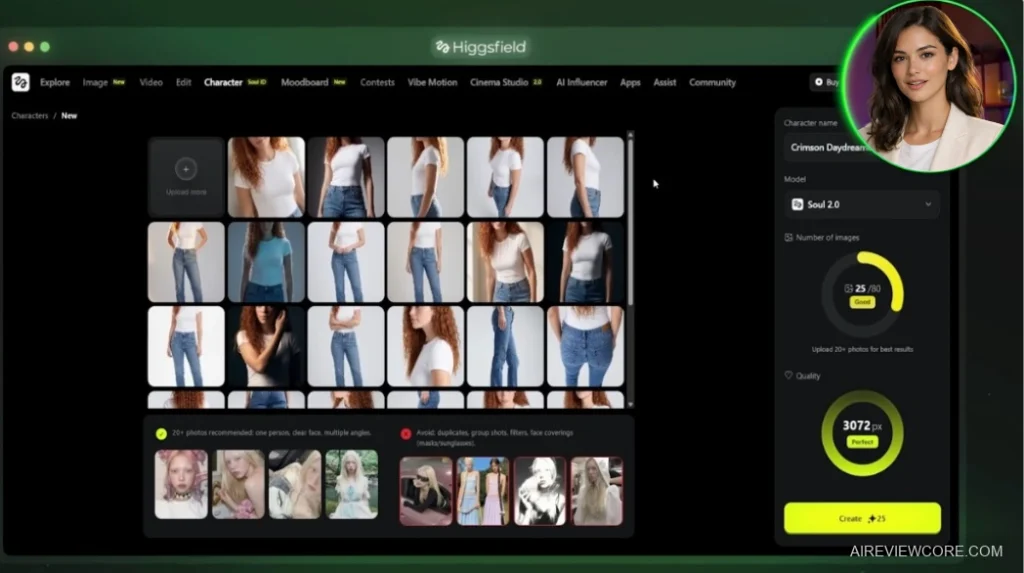
The real challenge in building a virtual influencer is character consistency — making sure your AI persona looks identical across every piece of content. Higgsfield solves this with a dedicated character training system that locks in your influencer’s face and lets you place them in any environment, any outfit, any scenario without drift.
Expert Workflow: How to Build Like a Pro (Without Burning Credits)
⦁ Full control method. Start with Image-to-Video, not Text-to-Video.
When you already have your character’s base image from Flux.1, use Image-to-Video every time. In your prompt, describe only the motion and camera movement — the character and environment are already defined by your image. This prevents the AI from making decisions you did not ask for, and saves significant credits by avoiding failed generations.
⦁ The credit multiplier. Multiply one image into nine shots using the Shots App.
Before you animate anything, run your base image through the Shots app. You get nine distinct camera angles from a single generation. Upscale the best ones. You have just turned one credit spend into a full content shoot — no re-generating from scratch.
⦁ The Hollywood differentiator. Use Cinema Studio for hero content.
For your highest-visibility posts — thumbnails, trailers, campaign launches — switch to Cinema Studio. Select your camera-lens combo (Arri Alexa 35 + Panavision C-Series for cinematic film look; Red V Raptor + Cooke S4 for sharp commercial work), write your prompt, and generate. The output quality gap between this and standard generation is immediately visible. This is what separates Higgsfield from platforms like Kling or Runway.
⦁ The consistency lock. Build your character once, deploy everywhere.
Go to the Character Tab, upload 20-30 reference images (use the Angles App first to generate multiple consistent face angles from your Flux.1 reference pack). Once trained, your character is locked — swap outfits, locations, and lighting indefinitely using the Higgsfield Soul model without losing facial consistency.
Pricing Overview
| Plan | Price | Credits/Month | Best For |
| Basic | $9/month | 150 credits | Testing & concept validation |
| Pro | $23/month | 600 credits | Solo creators, 3-5 posts/week |
| Ultimate | $39/month | 1,200 credits | Daily publishing schedule |
| Creator | $199/month | 6,000 credits | Agencies & high-volume production |
Pro Note: For a creator publishing 3-5 polished pieces per week, the Pro plan is the realistic starting point. The Basic plan works for testing and validating your character concept before scaling.
Expert Verdict: Higgsfield is the only AI tool on the market that bridges the gap between AI-generated content and cinematic production quality — if you are serious about building a virtual influencer that commands attention, this is the backbone of your visual stack.
Tool 3: Kling 3.0 — The Multi-Shot Character Consistency Powerhouse
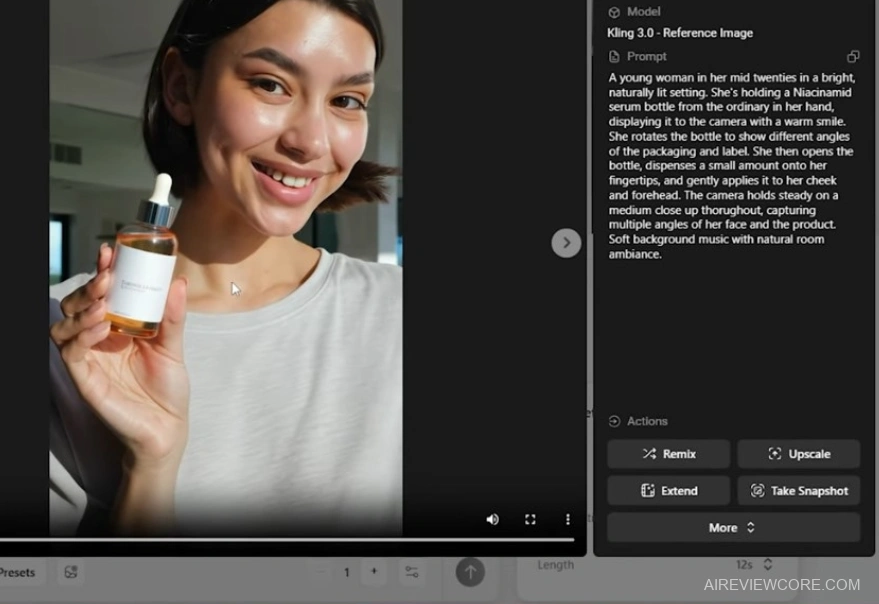
There is a moment every AI influencer creator hits — the moment they realize that generating one great clip is not the problem. The real challenge is generating twenty clips where your character looks identical in every frame, from every angle, across every scene. Until Kling 3.0, that problem had no clean solution.
Kling 3.0 introduces Elements — a character-locking system that binds your AI influencer’s face, proportions, clothing, and identity into a reusable asset that travels consistently across every generation. Combine that with Multi-Shot prompting that produces complete cinematic sequences in a single 15-second generation, and you have the most technically complete AI video tool available for influencer production at scale.
Expert Workflow: From Character Asset to Cinematic Sequence
⦁ The foundational step. Build your Elements library before you generate a single frame
Go to the Elements tab, create your AI character or upload 4+ photos from different angles (include at least one emotional expression so the AI learns your facial range). Reference your asset in every future prompt using the @AssetName syntax. Your character’s face, proportions, and clothing will stay consistent across every generation — regardless of scene, lighting, or camera angle.
⦁ The cinematic pipeline. Use Multi-Shot prompting to produce complete scenes in one generation.
Toggle on Multi-Shot mode, then write individual prompts for each shot — specifying lens type, camera angle, character position, and action. Each shot must be minimum 3 seconds with a maximum of 500 characters per prompt. Use an AI assistant to pre-write your shot prompts, then paste them into the individual fields with your @AssetName references included in each. The result: a fully cut, multi-angle, 15-second sequence with consistent characters — previously impossible without manually generating every frame.
⦁ Precision method. Use Starting + Ending Frames for maximum compositional control.
When you need precise results — for transitions, campaign content, or sequences that must cut cleanly into other footage — upload both a starting and ending frame. You are giving Kling a roadmap: start here, end there, figure out the motion in between. For hero content, this is the difference between a usable clip and a perfect one.
⦁ Know the limitations. Keep characters close to camera and avoid complex text rendering.
Kling 3.0 degrades noticeably in wide shots where your character is far from the lens — facial details soften and consistency weakens. Frame tight, keep your influencer close to camera, and reserve wide establishing shots for environment-only scenes. Similarly, avoid relying on text rendering for complex information — simple, short text works, but multi-line text with symbols remains unreliable.
Pricing Overview
| Plan | Price | Key Capabilities |
| Basic | ~$8/month | Standard quality, limited generations |
| Pro | ~$23/month | Pro quality, Elements access, Multi-Shot |
| Premier | ~$46/month | Max generations, priority processing, full features |
Pro Note: The Pro plan is the minimum viable tier for serious influencer production. Elements and Multi-Shot are the two features that justify Kling’s place in your stack — both require at minimum the Pro tier. Verify current pricing at the official Kling AI website before publishing.
Expert Verdict: Kling 3.0 is the most technically complete character-consistency engine in the AI video space — and its Multi-Shot generation system is the closest thing currently available to a one-prompt cinematic production pipeline for virtual influencers.
Tool 4: HeyGen — Your AI Influencer’s Voice,ZFace & Language Engine
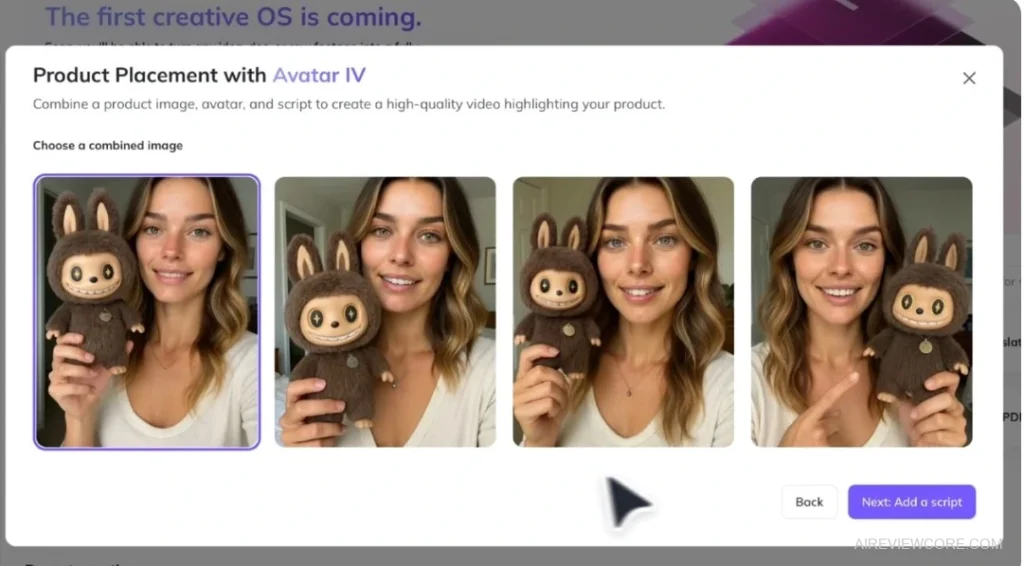
When working with the best AI influencer tools, building a visually stunning AI influencer with Higgsfield and Kling is only half the equation. Many creators first experiment with simple AI tools before building a full AI influencer workflow.The other half — the part that makes audiences trust and connect with your virtual persona — is the voice, the delivery, and the human presence on screen. That is where HeyGen earns its place as the indispensable fourth layer of your production stack.
HeyGen does not just generate talking-head videos. It clones you — or builds an entirely new animated persona from scratch — and then lets that character speak fluently in 175+ languages without you ever re-recording a single word. For AI influencer creators targeting global audiences, that is not a feature. That is a distribution strategy.
Expert Workflow: From Clone to Global Content Machine
⦁ Speed-to-quality method. Let AI Agent build your first draft, then take control.
Describe your video concept in the AI Agent prompt box — the more specific, the better — and let HeyGen construct the full scene structure, script, and visuals automatically. Then open it in AI Studio and refine: tighten the script, upgrade captions, swap backgrounds, and adjust the motion engine. You are editing a near-finished product, not building from zero.
⦁ Quality gate. Record your clone properly — this is non-negotiable.
When you create your digital twin, the quality of your 15-second recording determines everything. Use your phone for maximum quality, ensure clean lighting, eliminate background noise, and — critically — speak naturally with intentional pauses between sentences. HeyGen is not just capturing your face; it is learning your vocal rhythm, micro-expressions, and movement patterns. Rushed recordings produce stiff, unconvincing avatars.
⦁ The persona multiplier. Use New Look to multiply your content without re-cloning.
Once your clone is created, go to Avatar > New Look > Design with AI. Describe a completely different environment and styling (e.g., ‘dark cinematic stage, soft spotlight, professional keynote atmosphere’), generate, and apply across all scenes. Same voice, same identity — entirely different visual context. This is how you maintain a consistent persona while producing varied content at scale.
⦁ The global leverage play. Translate once, publish everywhere.
After finalizing your video, use HeyGen’s Translate feature to instantly dub it into any of 175+ languages with your cloned voice. No re-recording, no hiring voice actors, no separate production runs. A single piece of content becomes a multilingual content library — the most underutilized leverage point on the platform.
Pricing Overview
| Plan | Price | Key Capabilities |
| Free | $0/month | 1 video/month (up to 3 mins), platform trial |
| Creator | $29/month | Unlimited videos (30 mins), voice cloning, 1080p, watermark-free, 175+ languages |
| Pro | $99/month | 4K export, 10x premium usage, priority processing |
Pro Note: The Creator plan at $29/month is the realistic entry point for anyone building a virtual influencer seriously. Voice cloning and watermark removal alone justify the upgrade from free. The Pro plan becomes relevant when you are producing daily content across multiple languages or running client work.
Expert Verdict: HeyGen is the tool that transforms a static AI character into a living, speaking, globally scalable content presence — and its multilingual voice cloning makes it the single highest-leverage platform in your virtual influencer stack.
Tool 5: Grok AI (xAI) — The Mobile-First Engine for Faceless Influencer Brands
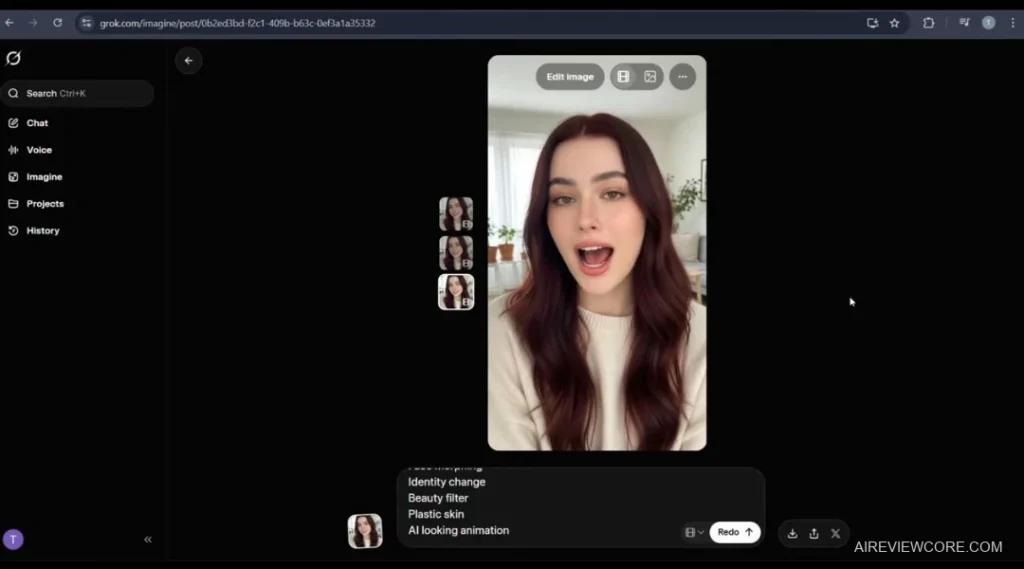
Most AI video production workflows assume one thing: you are sitting at a powerful desktop with multiple browser tabs open. Grok AI shatters that assumption entirely.
Built natively into X’s ecosystem, Grok is the only tool in this stack that lets you generate, animate, and scale an AI influencer brand entirely from your smartphone — no heavy software, no desktop dependency, no technical setup. For creators building faceless channels at speed, that is not a convenience feature. That is a fundamental competitive advantage.
What truly separates Grok from other mobile-accessible tools is its Master Prompt system — a structured prompt-chaining architecture that locks your character’s identity across every scene, every clip, every video. No facial drift between cuts. No inconsistent skin tones. Your influencer stays your influencer, regardless of how many scenes you produce.
Expert Workflow: Building a Consistent, Scalable Character at Volume
⦁ The consistency architecture. Implement the Master-Scene Workflow from day one.
Never build a multi-scene video with a single evolving prompt. Establish a Master Prompt — a locked global definition of your influencer’s face, skin tone, structural features, and negative constraints — and keep it constant across every generation. Only swap the Scene Prompt (e.g., ‘talking directly to camera’ vs. ‘walking through urban street’). This separation prevents the AI from reinterpreting your character between cuts.
⦁ The duration strategy. Use iterative extension to scale duration without losing coherence.
Generate your primary clip, then use Grok’s Extend functionality to push scene duration while maintaining the same visual identity through your Master Prompt chain. A disciplined creator can scale a single 5-second base clip into a cohesive, minute-long narrative — without a single frame of facial inconsistency.
⦁ Credit-saving workaround. Handle lip-sync drift with Redo, not regeneration.
If you encounter sync drift, resist the instinct to regenerate from scratch — that wastes credits and risks character inconsistency. Instead, use the Redo function to receive two distinct variations of the same clip. Always keep both the raw generation and the upscaled version, because high-fidelity upscaling can occasionally shift lip-sync precision. The raw version is your safety net for audio alignment in post
⦁ The advanced technique. Use JSON prompting for hyper-realistic outputs.
Convert your visual character description into JSON format via ChatGPT before feeding it into Grok. Structured data inputs are processed with significantly higher fidelity than natural language prompts — the result is noticeably more convincing textures, sharper expressions, and fewer AI artifacts. This is the technique that separates advanced Grok users from everyone else.
Pricing Overview
| Plan | Price | Key Access |
| Premium | ~$8/month | Standard Imagine & video generation features |
| Premium+ | ~$16/month | Advanced video generation + training capabilities |
| SuperGrok | Custom pricing | High-capacity tier for heavy daily production |
Pro Note: For creators building a consistent publishing schedule, Premium+ at ~$16/month is the minimum viable plan. The standard Premium tier is sufficient for testing your Master Prompt system and validating your character concept before scaling.
Expert Verdict: Grok AI is the definitive tool for creators who need to build and scale a faceless influencer brand entirely from their phone — and its JSON prompt-chaining system makes it one of the most underestimated character-consistency engines in the entire AI content stack
The Full Stack Comparison: Which Tool Wins at What?
No single tool in this stack does everything. That is the point. Each one was selected because it solves a specific problem in the AI influencer production lifecycle that the others cannot. Here is how they compare across the dimensions that matter most:
| Tool | Realism | Character Consistency | Ease of Use | Starting Price | Primary Role |
| Flux.1 | Outstanding | Via prompt locking | Moderate | Free | Base image generation |
| Higgsfield | Cinematic | Character training system | Medium | $9/month | Cinematic animation |
| Kling 3.0 | Exceptional | Elements system (best-in-class) | Medium | ~$8/month | Multi-shot sequences |
| HeyGen | Very High | Clone-based identity lock | Easy | Free / $29/month | Voice, dubbing, multilingual |
| Grok AI | High | Master Prompt chaining | Easy (mobile-first) | ~$8/month | Mobile scaling & distribution |
The bottom line: Flux.1 sets the visual standard, Higgsfield and Kling deliver the cinematic motion, HeyGen gives your influencer a globally scalable voice, and Grok makes daily publishing possible from anywhere in the world. Remove any one of these tools and you have a gap in your production pipeline
Your Next Move: From Reading to Building
You now have the complete technical blueprint for building an AI influencer in 2026. The stack is proven. The workflows are mapped. The pricing is clear.
But knowledge without execution is just entertainment. The creators who are generating real income from AI influencers right now are not the ones who read the most guides — they are the ones who started building while everyone else was still researching.
Before starting, many creators use AI content writing tools to prepare scripts and prompts for their virtual influencer.
Here is your exact starting sequence:
- Sign up for Leonardo AI (free) and generate your first character base image using the locked character prompt formula above.
- Take that image into Higgsfield and animate a 6-second clip using Image-to-Video on the Basic plan.
- Build your character’s Elements asset in Kling 3.0 and produce your first Multi-Shot sequence.
- Clone your voice in HeyGen on the Creator plan and dub your best video into two additional languages.
- Set up your Master Prompt in Grok AI and build your first daily mobile publishing workflow.
Total investment to start this stack properly: under $70/month across all five tools. Total production capability: daily multilingual content featuring a fully owned AI persona with cinematic-grade visual quality
These platforms represent the best AI influencer tools for creators who want to build a scalable virtual influencer workflow