
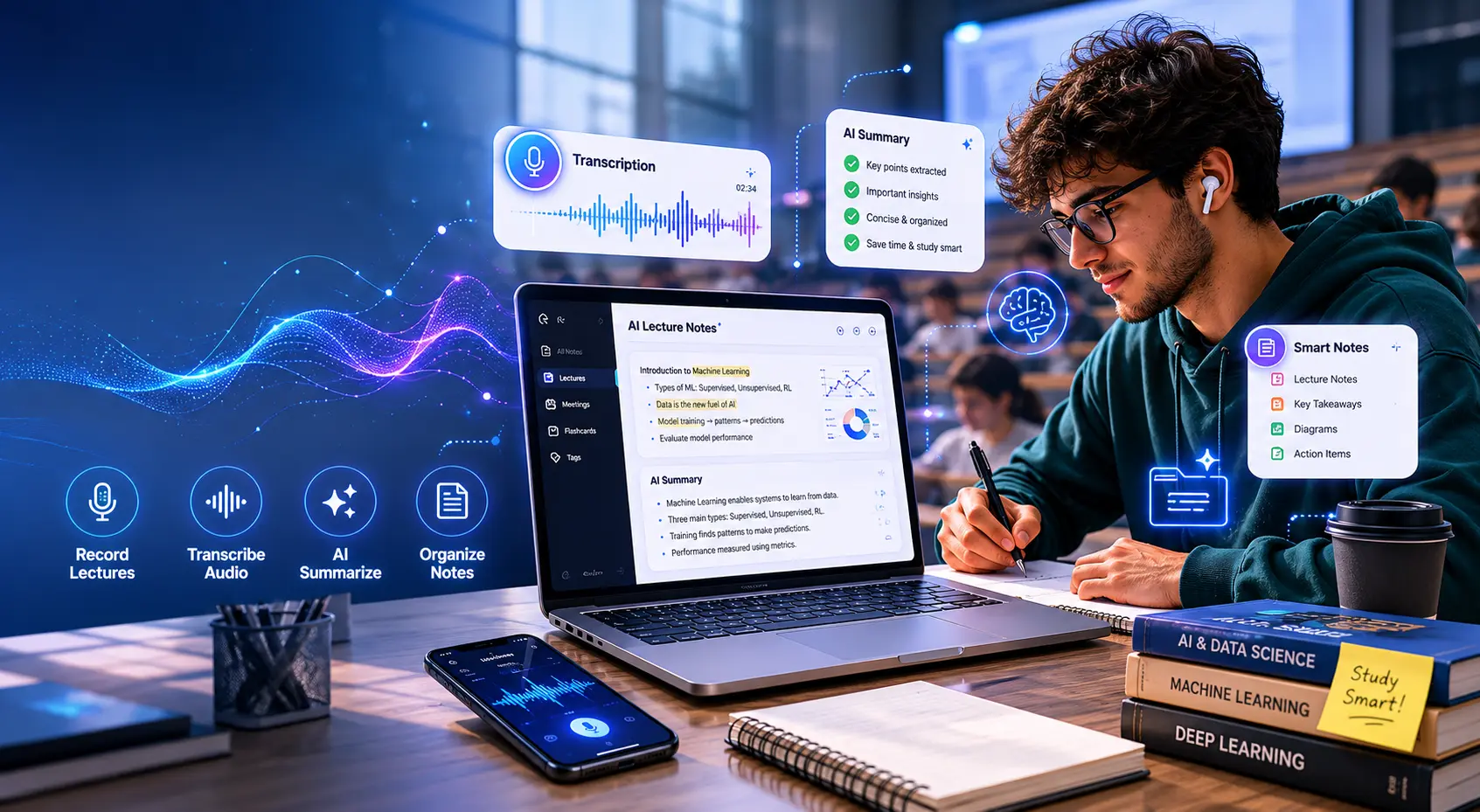
Stop Writing. Start Learning. | By Adrian Cole | aireviewcore.com
Table of Contents
The best AI note taker for students in 2026 solves a problem that every student knows but rarely names: you cannot fully listen and fully write at the same time.
When you are focused on capturing what your professor just said, you are not processing it. You miss the follow-up explanation. You miss the example that made everything click. You miss the connection between this week’s lecture and last week’s exam question. And when you look at your notes later, what you have is a transcript of your own distraction — not a study tool.
The best AI note takers for students in 2026 fix that at the source. You listen. The AI captures, transcribes, and summarizes. You leave the lecture with structured notes ready for review, not a raw document you have to clean up before you can actually study.
This guide covers five tools that work for real student workflows — not just Zoom sales calls. They were evaluated on what students actually need: in-person lecture capture, free plan reality, mobile access, summary quality, and whether the tool gets out of the way while you focus on learning.
What Students Need That Most Note Takers Do Not Provide
Most AI note takers are built for corporate meeting workflows — sales calls, team standups, client check-ins. They are optimized for Zoom and Google Meet, priced for business teams, and designed around features like CRM integration and conversation analytics that no student will ever use.
Student note-taking has a completely different set of requirements.
In-person lecture recording is the most significant gap. A professor moving around a lecture hall, writing on a whiteboard, and speaking for 90 minutes in an environment with ambient noise is a harder capture challenge than a structured Zoom call. Most meeting-optimized tools struggle here. The tools in this guide that handle it well are specifically noted.
Free plan reality matters more for students than for any other user group. A tool that caps out at 300 minutes per month runs out in roughly two weeks of regular lecture recording. A tool that runs out of credits mid-semester and requires a subscription renewal before an exam is not a study tool — it is a source of stress.
Mobile access determines whether a tool works outside of a laptop setup. Recording an in-person lecture from your phone is a completely different workflow from joining a Zoom class on your desktop. The two should not be confused, and this guide distinguishes between them.
Summary quality for academic content is not the same as summary quality for business meetings. A good student note taker identifies the key concepts, the definitions, the examples that illustrate principles, and the points the professor returned to repeatedly. Generic summarization that treats all speech equally produces outputs that look like notes but do not function as study material.
The 5 Best AI Note Takers for Students in 2026
Otter.ai is the strongest all-round choice for students because it handles the full range of academic note-taking situations better than any competing tool — live lecture transcription, online class recording, collaborative study sessions, and in-person capture via mobile.
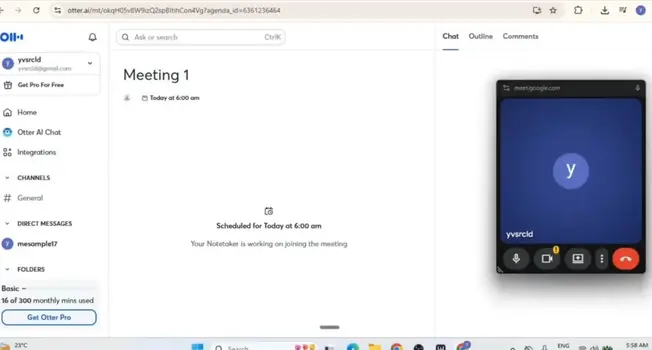
The live experience is what makes Otter genuinely useful in a way that post-processing tools are not. During a lecture, the transcript updates in real time as your professor speaks. You can highlight a section you want to review later without stopping your listening. You can flag a confusing passage with a quick tap and come back to it during the study session. The note is alive during the lecture, not just a document waiting for you afterward.
OtterPilot — Otter’s automatic class joining feature — connects to your Google or Outlook calendar and joins scheduled online classes without requiring you to remember to start the recording. For students who take online classes through Zoom, Google Meet, or Teams, this automation removes the single most common reason students miss recordings: they forgot to start the tool.
The AI summary quality for academic content is consistently the most useful in this guide. Otter identifies the central concepts of a lecture, the supporting examples, and the recurring themes that indicate exam importance — producing a summary that functions as a study document rather than a compressed transcript.
Transcription accuracy lands at 93 to 95 percent on clean audio, the highest of any tool in this guide — a figure consistent with Otter’s own published accuracy benchmarks. For lectures where precision matters science courses, medical programs, law school — this accuracy margin is the difference between notes you can trust and notes you have to verify.
The honest limitation is the free plan. At 300 minutes per month, Otter’s free tier covers roughly five hours of lecture recording — adequate for light use but insufficient for a full course load of in-person lectures. Students who need to record every session in a four-course semester will need the Pro plan at $8.33 per month on an annual basis, which is competitive for the feature set it delivers.
Expert Workflow: Use Otter’s highlight feature during lectures for anything the professor says twice or emphasizes with a phrase like “this is important” or “you will see this again.” These highlights become your exam study anchors — not the full summary, but the moments the professor flagged as essential. After the lecture, review only the highlighted sections first before reading the full summary. This sequence identifies gaps in your understanding within 15 minutes rather than requiring you to reread everything.
Connect Otter to your calendar before the semester starts, not when you first need it. The automated class joining only works when the calendar connection is established. Setting it up during the first week of term means you never manually start a recording for the rest of the semester.
For collaborative study groups, share the transcript link rather than copying text into a separate document. Otter’s shared transcripts are searchable, highlightable, and commentable — which makes them more useful for group study than a static document.
| Best for | Live lecture transcription, online classes, collaborative study |
| Free plan | 300 minutes/month |
| Paid plan | Pro $8.33/user/month (annual) · Business $30/user/month |
| Mobile app | Yes — iOS and Android |
| In-person lectures | Yes |
| Transcription accuracy | 93-95% |
Expert Verdict: Otter.ai is the strongest single tool for students who want one note taker that handles every academic recording situation — live lectures, online classes, in-person sessions, and collaborative study — without requiring a different tool for different contexts.
Fathom is the most genuinely free AI note taker available in 2026, and for students whose classes are entirely online, it delivers more value on its free tier than any other tool in this guide.
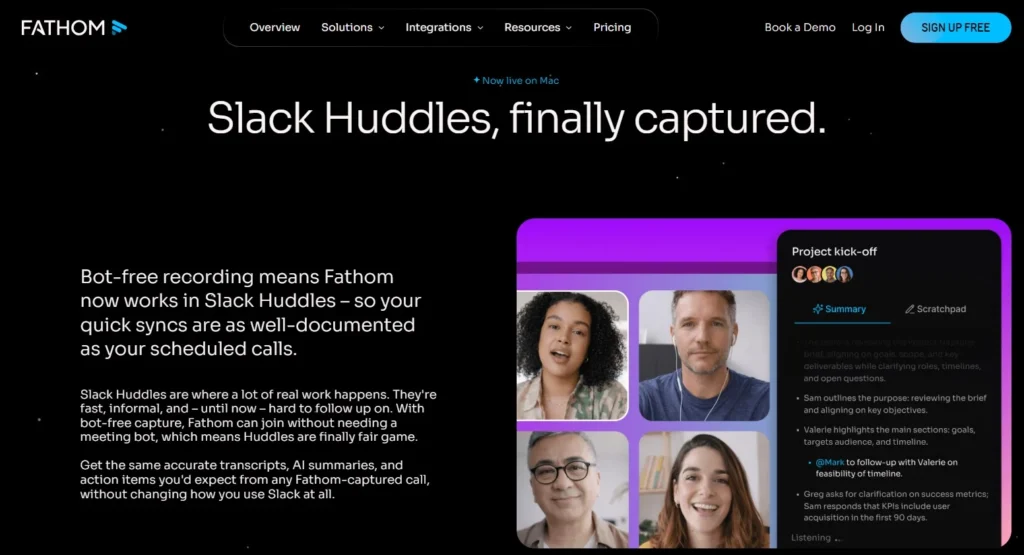
Unlimited recording. Unlimited transcription. No minute caps. No storage limits that reset at the end of the month. For a student taking four online courses and attending class three times per week per course, Fathom’s free tier covers the entire semester without restriction — which is not something any other tool in this guide can claim at the free level.
The summary quality is clean and structured in a way that works for academic review. Decisions made, key points covered, and follow-up items are presented in a scannable format that makes post-lecture review fast rather than comprehensive. For a student who needs to extract the essential content of a 90-minute lecture in under 20 minutes, Fathom’s output format serves that need well.
The Zoom integration is particularly smooth for online students. Fathom appears as an overlay inside your Zoom window rather than joining as a separate bot participant, which means your professor and classmates see a clean attendee list. For students who find visible note-taking bots socially awkward in smaller seminar classes, this is a practical advantage.
The limitations are significant and worth stating clearly. Fathom has no mobile application, which means in-person lectures cannot be recorded through this tool. For students whose classes are entirely in-person or in a hybrid format where the in-person sessions matter more than the online ones, Fathom is the wrong starting point. The free plan also caps AI summaries at five per month — enough for one class per week but not for a full course load where you are attending multiple sessions.
Expert Workflow: Use Fathom’s “send recap” feature immediately after every online class. The one-click email summary goes to everyone on the call, which means your study group receives structured notes without anyone having to compile or distribute them manually. For group projects with online coordination meetings, this single feature eliminates the administrative overhead that usually falls on one person.
On the five AI summary limit: prioritize your summaries for the lectures that covered the most material or the sessions where you found the content most difficult. Use the raw transcript for lighter sessions where you already understood the content well. This rationing approach makes the five-summary limit workable across a typical month of online coursework.
| Best for | Free online class recording, Zoom courses, structured summaries |
| Free plan | Unlimited recording and transcription, 5 AI summaries/month |
| Paid plan | Premium $15/user/month (annual) |
| Mobile app | No |
| In-person lectures | No |
| Zoom integration | Native overlay |
Expert Verdict: Fathom is the right starting point for any student whose classes are entirely online and whose budget is zero. Its genuinely unlimited free recording makes it the most practical tool for sustained use across a full semester without a subscription commitment.
Jamie solves the problem that most AI note takers quietly ignore: what happens when your professor is not on Zoom?
In-person lectures are the hardest capture environment for AI note-taking tools. The audio is less controlled than a structured call. The professor may move around the room, write on a board without narrating the content, or deliver key information in a side comment rather than a formal presentation. Tools built for virtual meeting transcription struggle in this context. Jamie is purpose-built to handle it.
The bot-free capture approach is the core technical advantage. Jamie records directly from your device — your phone, your laptop — without sending a visible bot into any meeting. In a physical lecture hall, this means there is no setup required and no awkward explanation to a professor about what the tool is doing. You open the app, start recording, and the session is captured in the background while you focus on the lecture.
Privacy compliance is embedded rather than optional. Jamie operates with European GDPR standards by default and processes audio without storing recordings after transcription — which matters for students in programs with strict data privacy requirements and for anyone who has concerns about how their recorded academic content is handled.
The Ask AI feature allows you to query your notes after the session in natural language. Rather than rereading a full transcript to find where a specific concept was explained, you ask the AI directly: “What did the professor say about protein folding?” or “Where were the exam dates mentioned?” This query capability makes Jamie’s note archive actively useful rather than passively stored.
The pricing is the honest limitation. Jamie’s Pro plan at €47 per month is the most expensive paid option in this guide by a significant margin — substantially higher than Otter’s $8.33 or Fathom’s $15. The free plan with 10 meetings per month covers light use but not a full course load. For students who primarily attend in-person lectures and need the bot-free, privacy-first workflow, this is the cost of the specific capability set Jamie provides.
Expert Workflow: Position your phone or laptop microphone toward the front of the lecture hall rather than keeping it in your bag or pocket. Jamie’s transcription accuracy improves significantly with better audio input — a five-second adjustment to microphone position at the start of a session produces noticeably better transcription quality across the entire lecture.
Use the Ask AI feature after every lecture before you start your standard review. Ask it three specific questions: what were the main concepts covered, what examples were given for each, and what did the professor indicate was important for assessment. This three-question sequence produces a more structured study framework than a linear transcript review.
For seminars where discussion matters as much as lecture content, Jamie’s speaker identification helps distinguish which student raised which argument — useful when the seminar discussion itself is examinable content.
| Best for | In-person lectures, bot-free capture, privacy-first workflows |
| Free plan | 10 meetings/month |
| Paid plan | Pro €47/month |
| Mobile app | Yes |
| In-person lectures | Yes |
| Privacy compliance | GDPR by default |
Expert Verdict: Jamie is the strongest tool for students whose primary note-taking challenge is in-person lectures where a bot-free, privacy-first approach is either required or preferred. The pricing is the real barrier — students who can justify the cost for the specific in-person capability will find it consistently delivers on that promise.
Granola takes a different approach from every other tool in this guide: it records your Mac’s audio directly, captures any quick notes you type during the session, and then uses AI to combine what you wrote with what was said — producing a summary that reflects both the lecture content and your own interpretive layer.
This human-in-the-loop approach is what makes Granola distinctive. Rather than generating a summary that treats all speech equally, Granola produces output that weights the things you flagged as important during the session. If you typed “exam question?” next to a specific explanation, the summary reflects that emphasis. Your judgment about what mattered is embedded in the output, not just the AI’s generic assessment of importance.
The bot-free recording is technically clean — no separate application joins any call, and no audio data is streamed to external servers during the session. Local processing means the content of your lectures stays on your device until it is processed, which aligns with the privacy expectations that many academic institutions have about student data.
Transcription accuracy at 90 to 92 percent is competitive and consistently stronger than Otter’s historical performance on noisy audio environments — which matters for physical lecture halls where ambient sound degrades transcription quality in most tools.
The significant limitations are platform and pricing. Granola is currently Mac-only, which excludes Windows and mobile users entirely. The free trial covers 25 meetings, after which the paid plan at $18 per month applies. For students who are comfortable in the Apple ecosystem and want a lightweight tool that enhances their own note-taking rather than replacing it, Granola fits that workflow precisely.
Expert Workflow: Use Granola’s keyword note feature during lectures to capture the terms and concepts you want the AI to prioritize in the summary. You do not need to write complete sentences — a few keywords per key point tell the AI what mattered to you and shapes the summary output accordingly. This approach takes less effort than traditional note-taking and produces more personalized summaries than fully automated tools.
Before each lecture, paste the week’s reading list or syllabus section into Granola’s context field. Providing the AI with the academic context of what the lecture should cover produces summaries that use the correct technical vocabulary and align with the course structure, rather than treating the content as a standalone conversation.
| Best for | Mac users, minimal interface, AI-enhanced personal notes |
| Free plan | 25 meetings free trial |
| Paid plan | $18/month |
| Mobile app | No — Mac only |
| In-person lectures | Yes (Mac audio recording) |
| Privacy | Local processing, no audio stored |
Expert Verdict: Granola is the right choice for Mac-using students who want to maintain their own note-taking practice while adding an AI layer that enhances rather than replaces their personal study approach. Its human-in-the-loop model produces summaries that reflect what you thought was important — not just what the AI decided was worth capturing.
Notion AI is not a lecture recorder. It is the tool that makes everything you already captured into something you can actually study from — and for students who have strong recording tools but weak organization systems, it is where the academic value of AI note-taking is actually realized.
The core workflow is straightforward: you capture the lecture with Otter, Fathom, or Jamie, paste the summary into Notion, and then use Notion AI to transform it into whatever study format works for you. Flashcard sets. Concept maps in outline form. Essay outlines. Practice question sets. Multiple choice quizzes based on the lecture content. The raw lecture notes become an active study resource rather than a passive transcript.
The AI writing capabilities are particularly useful for exam preparation. You can ask Notion AI to explain a concept from your notes in simpler language, to compare two theories covered in different lectures, or to generate the kind of short-answer question your professor is likely to ask based on the emphasis in the content. This transforms your note archive from a recording of what was said into a responsive study partner that engages with what you are learning.
The database capabilities make Notion AI genuinely useful for long-term academic organization. Notes from a semester of lectures, organized by week, linked to reading assignments, tagged by exam relevance, and connected to essay outlines — this kind of structured academic knowledge base takes two semesters to build but then compounds in value every week you add to it.
The honest limitation is that Notion AI is not a recording tool. It does not capture audio, join calls, or transcribe speech. It is always a second step in the student workflow, not a first step. Students who need a single tool that does everything will be better served by Otter or Jamie. Students who are willing to run a two-tool workflow — a recorder and an organizer — will find that the combination produces significantly better study material than either tool produces alone.
Expert Workflow: Create a course database in Notion at the start of each semester with a page for every week and every lecture. After each class, paste your AI-generated summary into the relevant week’s page. At the end of the semester, you have a complete, searchable, AI-enhanced course archive that took approximately five minutes per lecture to maintain.
Use Notion AI’s “ask this page” feature during exam preparation rather than rereading notes linearly. Asking “what are the three most important concepts from week four?” or “what examples were given for the theory of X?” produces faster recall than scanning a full document — and the question-based review is a more effective study technique than passive rereading anyway.
| Best for | Organizing notes, exam preparation, study database building |
| Free plan | Yes — with limitations on AI features |
| Paid plan | Plus $12/seat/month (annual) · AI Add-on $10/seat/month additional |
| Mobile app | Yes — iOS and Android |
| In-person lectures | Requires manual input or paste from another recorder |
| Best used | As a second tool alongside a dedicated recorder |
Expert Verdict: Notion AI is the right tool for students who want to turn their lecture notes into active study material — not just archive them. Paired with Otter for recording, the combination produces a more complete academic workflow than any single tool in this guide can provide alone.
Quick Comparison — Which Tool Fits Your Situation?
| Tool | Free Plan | Mobile | In-Person | Best For | Starting Price |
| Otter.ai | 300 min/month | Yes | Yes | Best overall, live transcription | $8.33/month |
| Fathom | Unlimited recording | No | No | Free online class recording | $15/month |
| Jamie | 10 meetings/month | Yes | Yes | In-person lectures, privacy | €47/month |
| Granola | 25 meetings trial | No (Mac only) | Yes | Mac users, minimal friction | $18/month |
| Notion AI | Limited AI features | Yes | Manual only | Organizing and studying from notes | $10/month add-on |
Best Free AI Note Taker for Students — The Honest Answer
The honest free-tier ranking depends entirely on where your classes happen.
For online classes: Fathom wins without question. Unlimited recording and transcription with no time cap makes it the only truly sustainable free option for a full semester of online learning.
For in-person classes: Otter.ai’s free tier at 300 minutes per month is the most functional option. It is not unlimited, but the mobile app and real-time transcription make it the only free tool in this guide that works in a physical lecture hall.
For organizing what you already have: Notion AI’s free tier includes enough capability to build a basic course organization system, though the AI features that make it most useful for study preparation require the paid add-on.
Frequently Asked Questions
What is the best AI note taker for students in 2026? Otter.ai is the strongest overall choice for students because it handles live lecture transcription, mobile in-person recording, online class capture, and collaborative study sessions in a single tool. For students whose classes are entirely online and whose budget is zero, Fathom’s unlimited free recording makes it the more practical starting point.
What is the best free AI note taker for students? Fathom for online classes — unlimited recording with no minute cap. Otter.ai for in-person or mixed attendance — the only free tool with a mobile app that handles physical lecture environments.
Can AI note takers record in-person lectures? Yes, but not all tools handle it well. Otter.ai and Jamie are the strongest in-person options in this guide. Granola records Mac audio directly which works in-person but requires a Mac laptop. Fathom and Notion AI are not designed for in-person recording.
Is Otter.ai good for students? Yes. Its combination of live transcription, mobile app, in-person recording capability, and automatic class joining makes it the most complete student note-taking tool currently available. The 300-minute monthly limit on the free plan is the primary practical constraint for heavy users.
How much does a good AI note taker cost for students? The range is wide. Fathom’s recording is free with no time limit. Otter.ai Pro is $8.33 per month on an annual plan. Granola is $18 per month. Jamie is €47 per month. Notion AI adds $10 per month to a base Notion subscription. For most students, Otter at $8.33 or Fathom at free covers the core need without requiring the more expensive options.
Do AI note takers work for in-person lectures? The tools in this guide that work reliably for in-person lectures are Otter.ai (via mobile app), Jamie (via mobile or laptop), and Granola (via Mac audio capture). Tools that are primarily designed for virtual meetings — including Fathom — do not offer in-person recording capability.
Your Action Plan: From Lecture to Study Material
The best AI note taker for students in 2026 is not the one with the most features. It is the one that fits the specific way your courses run and removes enough friction that you actually use it consistently across the semester.
Here is the decision framework based on your actual situation.
If your classes are entirely online and your budget is zero, start with Fathom. Set it up before the first week of term, connect it to your calendar, and let it join every class automatically. Review summaries on the same day as the lecture while the content is still fresh.
If you attend in-person classes and need one tool for everything, start with Otter’s free plan and test whether 300 minutes per month covers your recording needs. If you are consistently running short, the Pro plan at $8.33 per month is the most cost-effective upgrade in this guide.
If you primarily attend physical lectures and privacy matters to your institution or to you personally, Jamie handles in-person recording without the visible bot concerns that affect other tools — at a significantly higher price point.
If you already have a recording tool and your problem is turning notes into study material rather than capturing them, Notion AI is the second tool that transforms a passive archive into an active study system.
For the full comparison of AI meeting note tools for professional and team use, see our guide on the best AI tools for meeting notes in 2026.
Adrian Cole is a professional AI technology reviewer and creative technologist at aireviewcore.com, covering AI tools for students, educators, and digital professionals.
© 2026 aireviewcore.com — All rights reserved.