
The Game Has Changed. Most Professionals Haven’t Caught Up Yet.
This guide has been updated for August 2026 to reflect the latest model releases, pricing changes, and performance benchmarks.
Table of Contents
Here is the uncomfortable truth about AI image generation in 2026: the gap between professionals who understand these tools and those who don’t has never been wider — or more expensive to ignore.
The best AI image generators in 2026 are not the novelty tools that flooded the market two years ago. They are production-grade creative instruments actively replacing line items in agency budgets, compressing timelines that used to span weeks into hours, and producing output that holds up under the scrutiny of print production, commercial licensing, and client review.
I have spent weeks putting four of the most significant models through their paces — testing everything from architectural renders and luxury product photography to cinematic concept stills and social media content. I pushed them with complex multi-requirement prompts, unusual lighting scenarios, intricate in-image text placement, and physically demanding compositions.
The four models in this review — Nano Banana 2, Flux 2 Pro, Kling 03, and Seedream 5.0 — represent the strongest options I tested for distinct professional workflows. Each solves a different class of creative problem. None is the right choice for every use case. This guide tells you exactly which one belongs in your workflow — and why.
Tool 1: Nano Banana 2 — Google’s Real-Time Powerhouse Redefines What an AI Image Generator Can Know
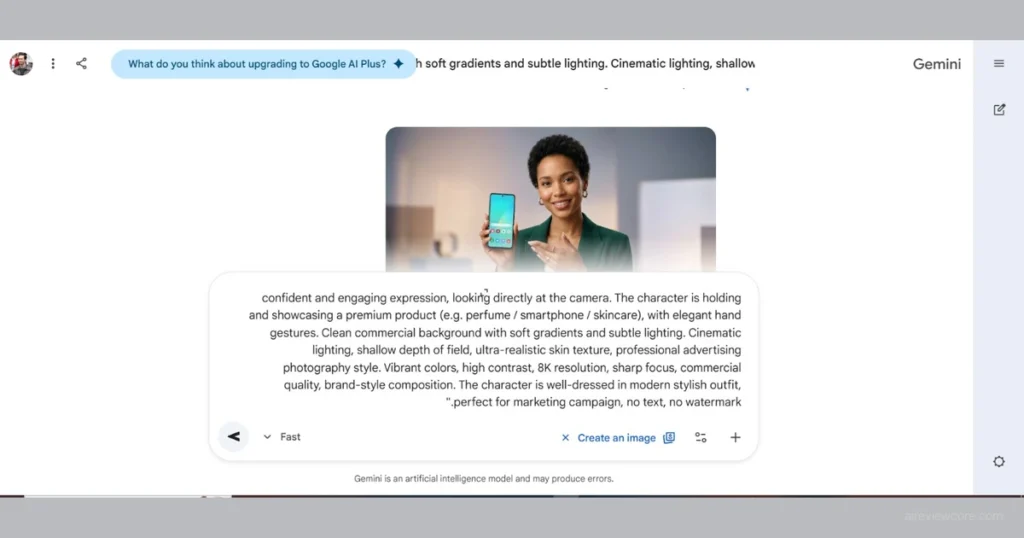
Overview
When Google dropped Nano Banana 2 earlier this year, the creative community took notice almost immediately — and for good reason. This is not an incremental update. It is a structural rethink of what the best AI image generators can be when connected directly to one of the most sophisticated information ecosystems on the planet.
The core question Nano Banana 2 answers is one the industry has been circling for years: what happens when real-time world knowledge meets image synthesis? The answer is something genuinely transformative for professionals working in fast-moving, trend-sensitive industries.
Real-Time Search Integration — The Feature That Changes Everything
Nano Banana 2’s headline capability is its native real-time search integration — and it is not marketing language. It materially changes how creative professionals work.
The model pulls live visual references, trending aesthetics, and contextually relevant style data directly from the web at generation time. When you prompt it for a fashion editorial inspired by current runway trends, it actually knows what is happening on the runway right now. For professionals in advertising, editorial design, and trend-driven product development, this is a competitive advantage, not a convenience feature. You are no longer working with a model trained on data that is already months out of date.
Flawless Text Rendering — A Problem Finally Solved
For years, text inside AI-generated images was one of the most reliable tells separating generated content from professional design work. Nano Banana 2 has solved this problem. Typography is clean, accurate, and stylistically coherent with the surrounding composition.
During testing, the model handled handwritten script signage, neon storefront lettering, multilingual poster copy in English and French simultaneously, and printed magazine cover type — all with correct spelling and visual integration. For designers producing mockups, branded visual assets, or any output where text must appear inside the image, this capability alone justifies serious attention
Unmatched Character Consistency
Nano Banana 2 maintains precise character details — facial features, clothing, accessories, proportions — across completely different scene contexts. Tested with five distinct characters moved from a classroom to an outdoor sports setting, the model maintained individual character fidelity across both contexts without manual reference image input. For storyboarding, sequential content production, and brand campaigns requiring a consistent visual protagonist, this is a significant advantage.
Expert Workflow: Getting Maximum Output From Nano Banana 2
- Lead with context, not just description. Reference current events, named trends, and live cultural moments directly in your prompts. Let the model’s web access fill in the visual vocabulary.
- Use it as your text-heavy mockup engine. Any project requiring accurate in-image text — posters, packaging mockups, social graphics — should route through Nano Banana 2 first.
- Leverage character locking for campaign consistency. Establish your character descriptions in the first generation and reuse them verbatim across subsequent prompts.
- Prompt for current aesthetics by name. Referencing specific current design movements or named aesthetics produces significantly more contextually accurate results than describing them from scratch.
Expert Verdict: Nano Banana 2 is the default starting point for most professional creative workflows in 2026 — its real-time search integration and solved text rendering problem give it a versatility ceiling that none of its competitors currently match, making it the strongest all-purpose choice among the best AI image generators available today.
Tool 2: Flux 2 Pro — Maximum Resolution, Maximum Texture, Maximum Impact
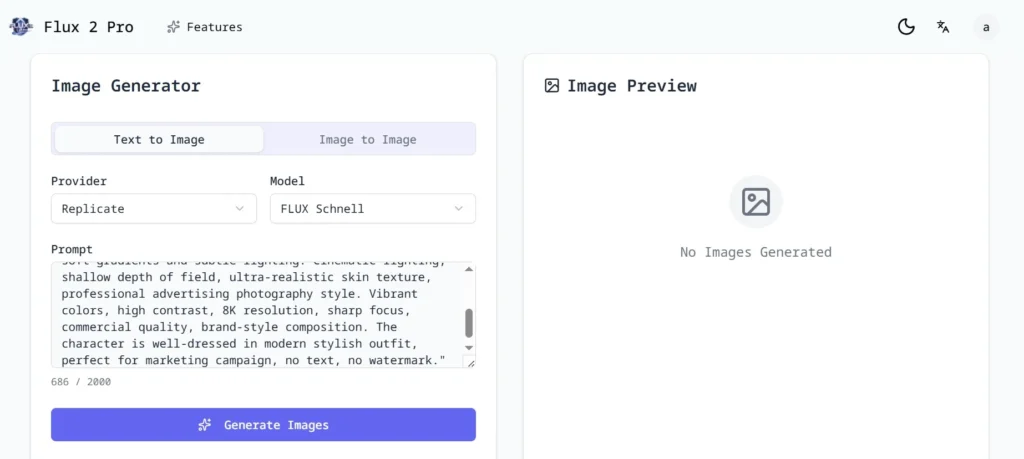
Overview
If Nano Banana 2 is about intelligence and connectivity, Flux 2 Pro is about sheer, uncompromising visual fidelity. This model is built for professionals who need output that holds up at large formats — print campaigns, billboard advertising, high-resolution product photography, and anywhere else where pixel density and texture quality are non-negotiable.
Flux 2 Pro’s defining feature is its native 4-megapixel resolution output, delivered without upscaling artifacts. This is a genuine engineering achievement that separates it from virtually every other model in this comparison.
4MP Native Resolution — The Details Make the Difference
4MP native” means 2688 × 1512 pixels of genuinely synthesized image information — not an upscaled version of a lower-resolution output. The difference is visible and significant.
When you zoom into a Flux 2 Pro-generated image — into the texture of a leather jacket, the grain of a wooden table surface, the individual fibers of a cashmere sweater — you find real detail, not interpolation artifacts. Print production, high-end commercial photography stand-ins, luxury product photography — these use cases are now genuinely viable with AI-generated imagery for the first time.
Testing with luxury watch product shots produced results where brushed metal textures, reflective crystal faces, and leather strap stitching were rendered with a level of detail that, absent close inspection, is indistinguishable from professional studio photography.
Premium Material Intelligence
Flux 2 Pro has what can only be described as exceptional material intelligence. It understands how different surfaces interact with light in ways most models handle only superficially. Silk behaves like silk. Concrete has the right porous roughness. Glass refracts light correctly. Water holds tension realistically. This directly impacts how professionally usable the generated images are — a product image where the material looks slightly “off” is worthless for commercial deployment.
The Human Touch — Avoiding the Uncanny Valley
Where many high-resolution models produce imagery that feels sterile or artificially perfect, Flux 2 Pro balances resolution fidelity with naturalistic variation. The resulting images avoid the uncanny valley by retaining the subtle imperfections that make high-quality photography feel authentic rather than synthetic. For UGC-style content production and social-native advertising, this balance is genuinely valuable.
Expert Workflow: Getting Maximum Output From Flux 2 Pro
- Always generate at native 4MP. Resist the temptation to generate at lower resolution for speed. The texture and detail advantage of Flux 2 Pro is only fully realized at its native resolution output.
- Use it as the foundation for image-to-video workflows. The base image quality Flux 2 Pro produces makes it the ideal input for any downstream video generation tool — particularly for skincare, fashion, and luxury product categories where material quality is the conversion signal.
- Describe materials explicitly. Flux 2 Pro’s material intelligence responds directly to specific surface descriptions. “Brushed titanium” produces a different and more accurate result than “metallic surface.” Invest in material specificity in your prompts.
- Pair with a caption tool for UGC production. Because the base images are so naturalistic, they serve as convincing UGC-style assets when combined with platform-native caption styling. The high resolution gives post-production maximum flexibility.
Expert Verdict: Flux 2 Pro is the tool for professionals whose work lives or dies on image quality — if resolution and material fidelity are your primary requirements, nothing among the best AI image generators in 2026 comes close to what it delivers at its native 4MP output.
Tool 3: Kling 03 — Cinematic Vision Meets Physical Reality
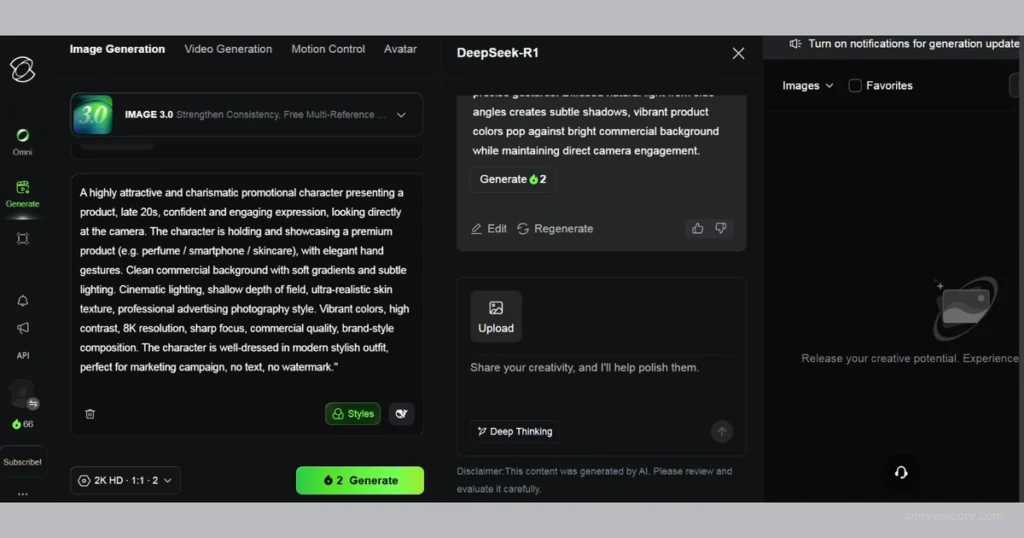
Overview
Kling 03 approaches image generation as a directorial challenge — and that philosophical difference shows in every output. Where other models treat generation as a rendering problem, Kling 03 treats it as a visual storytelling problem. This is the model for cinematographers, film industry professionals, concept artists, and anyone whose visual work is shaped by the language of the moving image.
Cinematic Lighting — Beyond Imitation
Kling 03’s handling of light is in a category of its own. The model doesn’t merely replicate photographic lighting conventions — it understands the intentionality behind them.
Testing with hard noir side-lighting, diffuse overcast exterior setups, practical lighting from a single candle source, and neon urban night environments consistently demonstrated a sophisticated understanding of how light behaves physically and how it is conventionally used for emotional and narrative effect in professional visual storytelling. The model’s “dappled sunlight” and shadow rendering looks cinematic and natural — not digitally processed.
For concept art, film pre-visualization, and storyboard development, this lighting capability is exceptional and largely unmatched.
Visual Chain of Thought — A New Approach to Prompt Comprehension
Kling 03 uses a “visual chain of thought” reasoning process to decompose and interpret complex prompts before generating. In practice, this means it handles compositional complexity remarkably well.
A prompt describing multiple characters in dynamic interaction, a complex environmental context, and specific emotional tone produces a coherent result — not a jumbled output. Testing with a prompt that included five simultaneous compositional requirements — foreground subject, mid-ground environmental detail, background depth, specific light source, and implied narrative moment — Kling 03 addressed all five in a single coherent composition. Most models fall apart at three.
Physics Logic — The World Behaves Correctly
Kling 03’s physics-aware generation is one of its most practically valuable capabilities. Fabric drapes correctly given gravity and material weight. Water flows and splashes with physical plausibility. Structural elements obey load-bearing geometry. When a character sits on a swing, the ropes render as correctly tensioned under load. When a ball impacts a wall, the wall crumbles realistically from the point of contact.
Physics inconsistencies in AI-generated imagery are one of the most reliable tells that separate generated content from real photography. Kling 03’s physics logic closes that gap significantly — and the resulting images hold up to closer professional scrutiny than almost anything else currently available.
Expert Workflow: Getting Maximum Output From Kling 03
- Use cinematography language in your prompts. Kling 03 responds to the vocabulary of filmmaking — lens focal length, depth of field, color grading references, specific lighting setups. “Shot on anamorphic lens with visible bokeh and warm practical lighting” produces results that generic photographic descriptions cannot.
- Specify physics conditions explicitly. When generating images with dynamic physical elements — fabric, water, structural stress, impact — describe the physical conditions directly. “Rope under tension supporting 80kg load” produces more accurate physics rendering than “rope attached to swing.”
- Use it for pre-visualization before production. Kling 03’s cinematic output quality makes it a viable pre-visualization tool for film and commercial production. Generate lighting references, composition studies, and environmental mood boards before committing to location or studio costs.
- Test narrative compositions at higher complexity levels. Kling 03’s visual chain of thought means it performs better, not worse, as compositional complexity increases. Push it with multi-element prompts that would overwhelm other models.
Expert Verdict: Kling 03 is purpose-built for visual storytellers — if cinematic language, physical plausibility, and narrative compositional intelligence are central to your visual work, it is the clear specialist choice among the best AI image generators in 2026.
Tool 4: Seedream 5.0 — The Reasoning Machine for Precise Creative Work
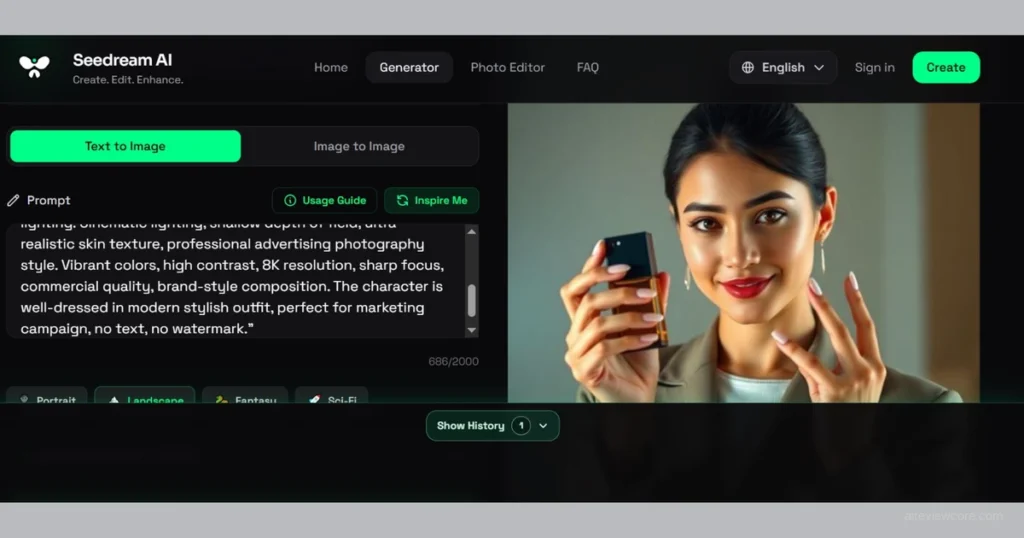
Overview
Seedream 5.0 represents a fundamentally different design philosophy from the other three models in this review. Where its competitors prioritize visual quality, speed, or stylistic sophistication, Seedream 5.0 prioritizes intelligence — specifically, the kind of deliberate structured reasoning that enables precise, controllable, specification-compliant output.
Developed by the team behind ByteDance, Seedream 5.0 is the first model with a reasoning layer that thinks through the prompt analytically before a single pixel is synthesized
The Reasoning Brain — Intentional Generation
Seedream 5.0’s most distinctive architectural feature is its dedicated reasoning layer — a system that decomposes complex prompts into constituent requirements, identifies potential conflicts or ambiguities, and establishes a coherent generative plan before synthesis begins.
The practical result is dramatic reliability on complex, specification-heavy prompts. If you need an image satisfying eight specific requirements simultaneously — particular object placement, specific color relationships, required text elements, defined aspect ratio, particular mood, multiple subject types, specific cultural context, and a compositional rule — Seedream 5.0 addresses all eight. Other models get six right on a good day.
For professionals working with detailed creative briefs or client requirements that cannot be approximated, this reliability is invaluable.
Architectural Precision — Spaces That Make Sense
Seedream 5.0’s architectural precision is genuinely remarkable. Buildings, interiors, and structural environments generated by this model are geometrically coherent — perspective is accurate, proportions are internally consistent, and complex multi-element architectural compositions hold together as unified spaces rather than collages of architectural fragments.
Testing with interior architectural visualizations — mid-century modern living spaces with specific material palettes, furniture arrangements, and natural light scenarios — produced results accurate enough to serve as genuine architectural concept images. Sightlines were correct. Spatial logic held together. Material selections were applied consistently across surfaces.
Smart Object Editing — Post-Generation Precision Control
One of Seedream 5.0’s most practically useful features is its smart object editing capability — targeted modifications to specific elements within a generated image without regenerating the entire composition.
Change the color of a single garment while keeping everything else identical. Swap one piece of furniture in an interior scene. When you resize an object, it automatically adjusts surrounding shadows and reflections to match the new dimensions. Modify a logo on product packaging. The object recognition underlying this feature is sophisticated enough to correctly identify and isolate complex, irregularly shaped elements in busy compositions — saving extraordinary amounts of iteration time in client-facing workflows.
Pro Access Tip — The WeShop Global Bridge
Many professionals outside certain regions encounter access friction with ByteDance tools. The most reliable workaround currently used by professionals globally is accessing Seedream 5.0 via WeShop AI — a global interface that eliminates regional lock issues without requiring VPN configurations or regional phone number verification. If you have encountered access barriers with Seedream 5.0, this is your solution.
Expert Workflow: Getting Maximum Output From Seedream 5.0
- Write specification-dense prompts, not aesthetic descriptions. Seedream 5.0’s reasoning brain is optimized for requirement lists, not mood descriptions. Structure your prompt as a set of specific requirements and let the reasoning layer synthesize them into a coherent output.
- Use smart object editing as your client revision tool. When a client requests a targeted change — different product color, modified environmental element, adjusted text — route that revision through Seedream 5.0’s smart editing rather than regenerating from scratch. The time savings compound across revision cycles.
- Default to it for architectural and spatial work. For any prompt involving interior spaces, architectural exteriors, or complex 3D spatial relationships, Seedream 5.0’s geometric coherence produces more professionally usable results than any other model in this review.
- Access via WeShop AI for frictionless global use. If regional access is a concern, WeShop provides the most stable global interface for Seedream 5.0 without workflow disruption.
Expert Verdict: Seedream 5.0 is the model for precision-demanding professionals — architects, product designers, technical illustrators, and advertising creatives working with detailed client specifications will find it the most reliable choice among the best AI image generators in 2026 for complex, requirement-dense creative work.
The Full Comparison: Pricing, Performance & Best Use Cases (Updated August 2026)
| Model | Speed | Realism | Prompt Logic | Best For | Entry Price |
| Nano Banana2 | 8–20s | ⭐⭐⭐⭐ | ⭐⭐⭐⭐ | Advertising, Social, Text-heavy | $19.99/mo (Gemini Plus) |
| Flux 2 Pro | 12–25s | ⭐⭐⭐⭐⭐ | ⭐⭐⭐ | Print, Product, Luxury | $0.03 / image |
| Kling 03 | 6–15s | ⭐⭐⭐⭐⭐ | ⭐⭐⭐⭐⭐ | Film, Storyboard, Cinematic | $6.99/mo |
| Seedream 5.0 | 7–18s | ⭐⭐⭐⭐ | ⭐⭐⭐⭐⭐ | Architecture, Design, Precision | ~$9.99/mo (via WeShop) |
Frequently Asked Questions
Which model produces the best text inside images? Nano Banana 2 is the clear leader. It consistently produces accurate, legible, stylistically appropriate typography — a capability that still challenges every competing model.
Which model is best for high-resolution print production? Flux 2 Pro’s native 4MP output makes it the strongest choice. Its material fidelity and texture detail hold up at large formats in a way that upscaled outputs from other models typically do not.
Which model handles complex, multi-element compositions best? Kling 03 for cinematic narrative compositions. Seedream 5.0 for technically specified, requirement-dense compositions. The right choice depends on the nature of the complexity.
Which model is best for architectural and interior visualization? Seedream 5.0’s architectural precision and spatial coherence make it the strongest choice. Its reasoning capabilities ensure complex spatial relationships are handled correctly.
How do I access Seedream 5.0 without regional restrictions? Use WeShop AI as your global access bridge. It provides a stable interface without VPN requirements or regional phone number verification.Can these models be used for commercial UGC content production? Yes — all four support commercial use cases, though licensing terms vary. Always verify current terms on each platform before commercial deployment. Flux 2 Pro has particular strengths for UGC-style content due to its balance of resolution quality and naturalistic variation.
Your Action Plan: Matching Tool to Creative Workflow
The best AI image generators in 2026 have removed the last remaining excuse for producing mediocre visual content at slow production speeds. The technology ceiling is no longer the constraint. Knowing which tool to use for which job is.
Here is the decision framework:
- Working in advertising, editorial, or trend-driven content? Nano Banana 2 is your default. Real-time web access and flawless text rendering make it the most versatile all-rounder for fast-moving creative work.
- Producing print campaigns, luxury product photography, or UGC-style visual assets? Flux 2 Pro’s native 4MP output is non-negotiable. Nothing else holds up at this resolution.
- Working in film, concept art, or cinematic visual storytelling? Kling 03’s directorial intelligence and physics logic make it the specialist choice for any workflow shaped by the language of cinema.
- Delivering precision work for architects, designers, or specification-heavy client briefs? Seedream 5.0’s reasoning brain is the only model built specifically for this level of prompt compliance.
The professionals winning on visual production in 2026 are not using one tool. They are using the right tool for each specific creative challenge — and building workflows that treat these models as complementary instruments rather than interchangeable alternatives.
Adrian Cole is a professional AI technology reviewer and creative technologist at aireviewcore.com, covering AI image generation, language models, and creative technology tools with a focus on practical professional applications.