
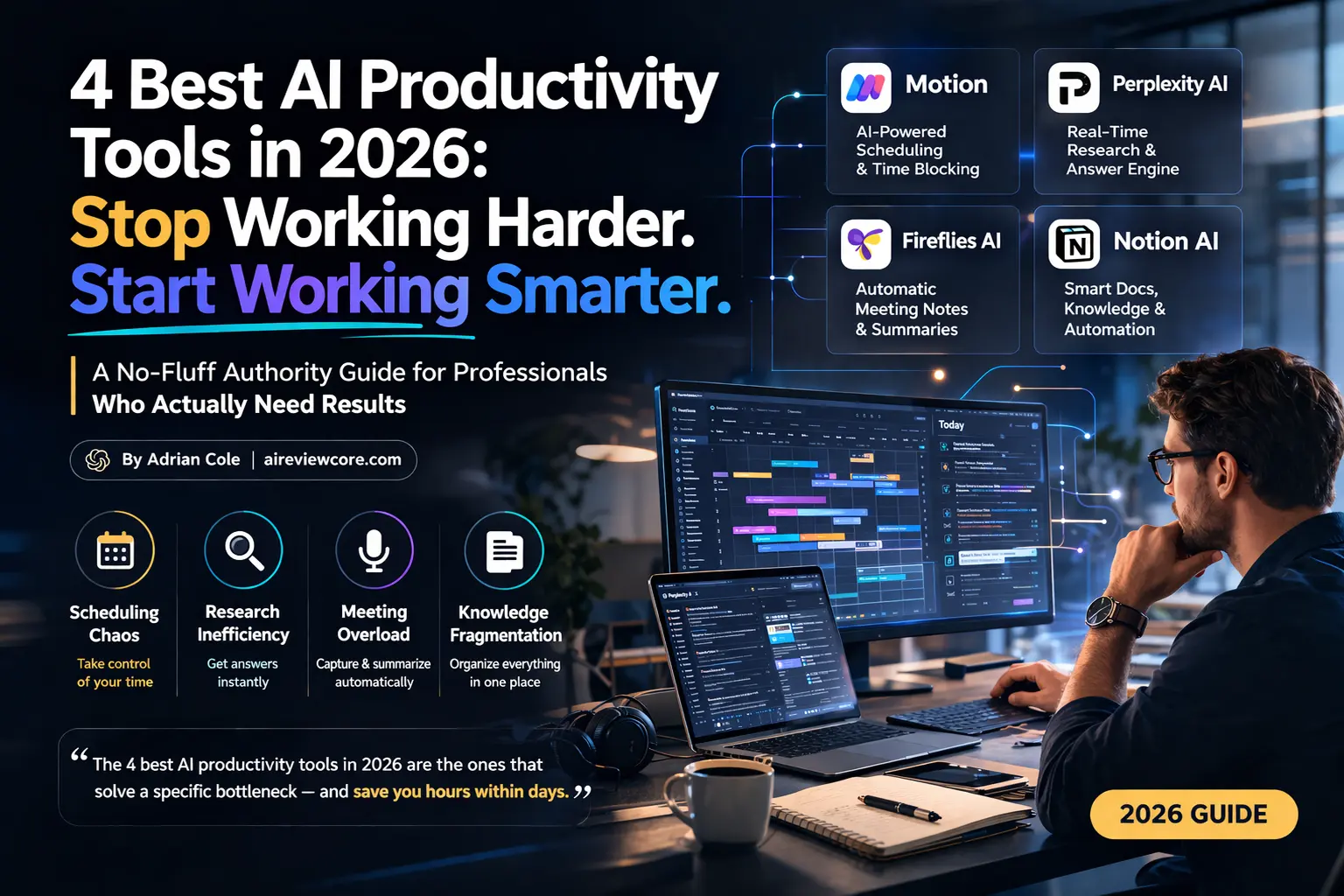
A No-Fluff Authority Guide for Professionals Who Actually Need Results — By Adrian Cole | aireviewcore.com
The Productivity Lie Nobody Wants to Admit
Here is the uncomfortable truth about the AI productivity space in 2026: most professionals are not suffering from a lack of tools. They are suffering from the wrong tools — platforms that promise to save hours but quietly add complexity, hidden costs, and a learning curve steep enough to erase any time savings within the first month.
The 4 best AI productivity tools in 2026 are not the ones with the longest feature lists or the most aggressive marketing. They are the ones that solve a specific, real bottleneck in your workflow — and deliver measurable time savings within days, not months.
I have spent weeks testing the leading platforms across real professional workflows: managing multi-client project schedules, conducting deep research under deadline pressure, running back-to-back meeting cycles, and organizing knowledge bases that grow faster than any human can manage manually. The four tools in this guide are the ones that earned a permanent place in daily use — because they solve problems that no spreadsheet, calendar app, or generic assistant can match.
This guide covers Motion, Perplexity AI, Fireflies AI, and Notion AI — four platforms that together address the four biggest bottlenecks killing professional productivity in 2026: scheduling chaos, research inefficiency, meeting overload, and knowledge fragmentation.
Tool 1: Motion — The AI Scheduler That Runs Your Day So You Don’t Have To
Overview
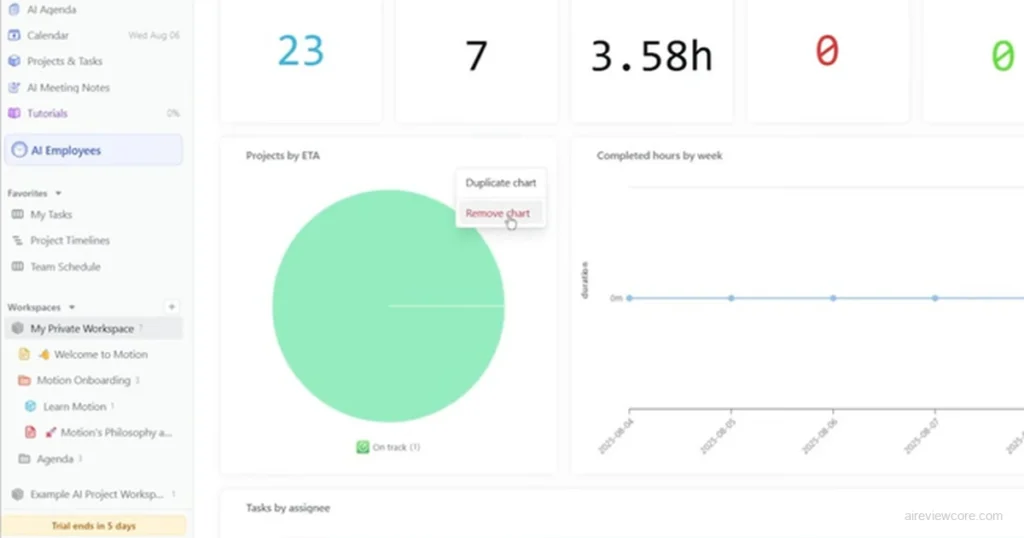
Motion is the answer to a question most professionals have stopped asking because they assume no solution exists: what if your calendar actually managed itself?
The platform’s core function is deceptively simple and genuinely transformative. You input your tasks — with deadlines, priorities, and estimated durations. Motion’s AI then analyzes your calendar, existing commitments, and work preferences, and automatically schedules everything into your day. When a new meeting gets added or a task runs over time, Motion reschedules the affected items automatically. No manual dragging. No replanning sessions. The day rebuilds itself.
For professionals managing competing priorities across multiple projects, clients, or teams, this is not a productivity improvement. It is a structural shift in how time management works.
The AI Scheduling Engine — What Actually Sets Motion Apart
The critical differentiator between Motion and every calendar or task manager that came before it is the distinction between showing you your schedule and building your schedule for you.
Every app from Google Calendar to Todoist gives you a place to put your tasks and appointments. Motion decides when those tasks happen based on your actual constraints. It accounts for meeting blocks, task dependencies, priority levels, deadlines, and your personal productivity patterns — and produces an optimized daily plan without requiring you to think about any of it.
Professionals who use Motion consistently report saving between three and five hours per week on scheduling and planning tasks alone. At any billing rate above $30 per hour, the math on the subscription cost is immediate.
The AI Employee Expansion — Motion’s 2026 Evolution
In late 2025 and into 2026, Motion significantly expanded its scope beyond scheduling into what it now calls an “AI Employee SuperApp.” The platform introduced pre-built AI agents for Sales, Support, Marketing, Project Management, HR, and Research — virtual AI assistants that can automate entire business workflows, not just calendar management.
The most practically impactful of these is the email management agent, which organizes inboxes, drafts responses, and prepares daily meeting overviews. Users who have configured the email agent correctly report recovering the first one to two hours of their workday from what was previously inbox triage.
Honest Limitations Worth Knowing
Motion is not a quick-start tool. The AI scheduling engine requires meaningful upfront input — task durations, priority levels, project structures — before it delivers value. Most users report a two to four week adjustment period before the workflow feels natural. The mobile application also significantly underperforms the desktop experience, carrying a 2.7/5 rating on Google Play compared to the desktop’s 4.5/5 on G2. Treat Motion as a desktop-first platform.
Expert Workflow: Getting Maximum Output From Motion
- Complete the onboarding fully before evaluating. Motion’s AI is only as good as the context you give it. Spend the first session defining all active tasks, setting realistic duration estimates, and configuring your work hours and preferences. The first week of output will be rough. The second week will be noticeably better. By week four, the scheduling quality justifies everything.
- Use deadline pressure as your primary input signal. Motion’s scheduling engine prioritizes around deadlines and urgency. The more precise your deadline data, the more accurate the AI’s scheduling decisions. Vague deadlines produce vague schedules.
- Let the AI Employees handle email before meetings. Configure the email agent to run before your first meeting of the day. The daily meeting overview it generates — pulling context from emails and calendar entries — eliminates the manual prep work that most professionals do instinctively but rarely account for in their time estimates.
Treat the mobile app as read-only. Use the desktop or web version for task input, planning, and schedule management. The mobile app is reliable for checking what’s next or marking items complete, but frustrating for heavy interaction
Pricing Overview
| Plan | Price | Key Features |
| Pro AI | $19/mo (annual) / $29/mo (monthly) | AI scheduling, task management, meeting notes, calendar sync |
| Business AI | $29/seat/mo (annual) / $49/seat/mo (monthly) | Everything in Pro + team collaboration, shared schedules |
| Enterprise | Custom | SOC 2 compliance, SSO, advanced security, dedicated support |
| Free Trial | 7 days | Full access to all features |
Expert Verdict: Motion is the single highest-ROI AI productivity investment for professionals whose primary bottleneck is scheduling complexity — if you manage more tasks than you can manually prioritize across a calendar full of meetings, Motion’s autonomous scheduling engine is the only tool that eliminates that bottleneck entirely, and it belongs in any honest list of the 4 best AI productivity tools in 2026.
Tool 2: Perplexity AI — The Research Engine That Replaces Hours of Work With Minutes
Overview
Perplexity AI answers the question that Google stopped answering well years ago: where do I go when I need accurate, sourced information quickly — without wading through ten pages of SEO content, forum threads, and link aggregators to find it?
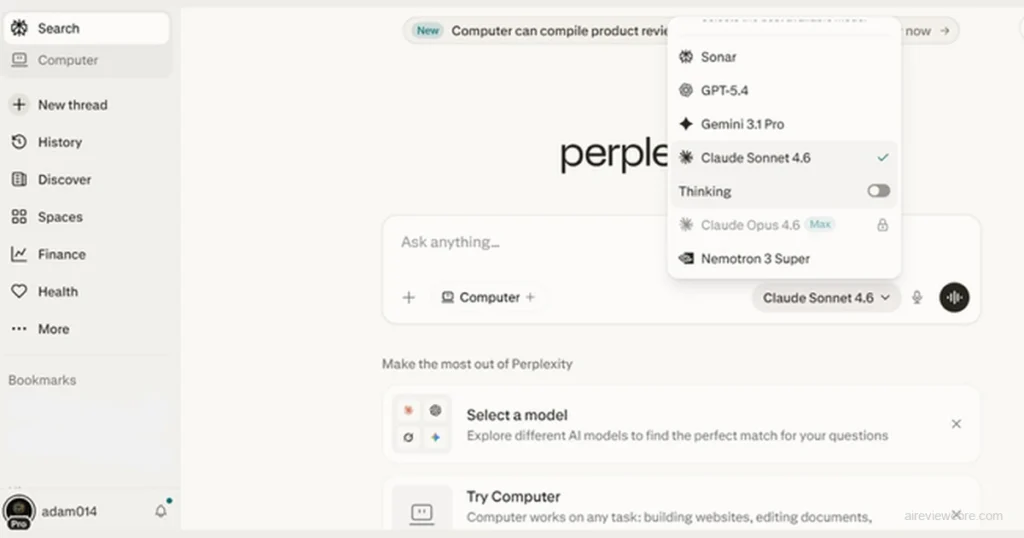
The platform functions as an AI-powered answer engine that combines real-time web search with large language model reasoning to produce direct, cited answers to complex questions. Unlike traditional search, which returns links and leaves synthesis to you, Perplexity reads the sources, understands the context, and delivers a structured answer with transparent citations — in seconds.
For professionals whose work involves any degree of research — market analysis, competitive intelligence, technical fact-checking, academic sourcing, regulatory compliance — this is not a marginal improvement over existing workflows. It is a category shift.
Real-Time Search With Transparent Citations — The Core Advantage
The feature that separates Perplexity from every general-purpose AI assistant is its commitment to source transparency. Every answer includes citations linking directly to the sources it drew from. You can verify the information, explore the original context, and assess source quality — all within the same interface.
This matters for professional use in a way that uncited AI responses cannot match. When a client, colleague, or regulator asks where a piece of information came from, “the AI told me” is not an acceptable answer. Perplexity’s citation structure gives every answer a verifiable source trail.
The real-time web access component means Perplexity’s answers reflect the current state of information — not a training cutoff from months or years prior. For any research involving recent events, current market conditions, regulatory updates, or evolving technical standards, this temporal accuracy is the difference between useful and unreliable.
Deep Research Mode — For Complex, Multi-Source Analysis
Perplexity’s Deep Research feature — available on paid plans — takes the standard search-and-synthesize function to a qualitatively different level. Rather than pulling from a handful of sources for a quick answer, Deep Research conducts a structured investigation across dozens of sources, synthesizes conflicting information, and produces a comprehensive report with full citation documentation.
For professionals who would otherwise spend two to four hours manually researching a complex topic, Deep Research compresses that work into minutes. The output is not a replacement for expert judgment — but it is a first draft of structured knowledge that would otherwise require significant time to assemble.
Honest Limitations Worth Knowing
Perplexity is a research and information tool, not a general-purpose AI assistant. It does not handle creative writing, code generation, long-form document drafting, or conversational task management at the level of dedicated tools built for those purposes. Its free tier has meaningful daily search limits that heavy users will encounter quickly. And for teams, the jump from the Pro individual plan to Enterprise Pro represents a significant per-seat cost increase.
Expert Workflow: Getting Maximum Output From Perplexity AI
- Ask specific questions, not broad topics. Perplexity’s synthesis quality improves dramatically with precise queries. “What are the current regulatory requirements for AI-generated content in the EU in 2026?” produces a far more useful answer than “AI regulations in Europe.”
- Use Deep Research for competitive analysis. Before any significant business decision, product launch, or market entry, run a Deep Research query on the competitive landscape. The structured report format is immediately usable for internal presentations and strategy documents.
- Follow up with precision. Perplexity’s conversational follow-up capability is one of its strongest features for professional workflows. After an initial answer, drill deeper — “which of these sources is most authoritative?” or “what are the main disagreements between these sources?” — to sharpen the research output.
- Save and share Spaces for team research. On Enterprise plans, Perplexity’s Spaces feature allows shared research threads accessible to team members. For distributed teams working on shared research questions, this eliminates the duplication of research effort that costs significant time across organizations.
Pricing Overview
| Plan | Price | Key Features |
| Free | $0/month | Limited daily searches, basic model access |
| Pro | $20/month or $200/year | Unlimited Pro searches, advanced models, file uploads, Deep Research |
| Enterprise Pro | $40/seat/month | Team collaboration, SSO, shared Spaces, no training on user data |
| Enterprise Max | $325/seat/month | Unlimited research, all models, premium support, Perplexity Computer |
Expert Verdict: Perplexity AI is the most underutilized professional tool in this guide — its citation-backed, real-time research capability eliminates hours of manual information gathering for anyone whose work involves recurring research tasks, making it an essential component of the 4 best AI productivity tools in 2026 for knowledge workers at every level
Tool 3: Fireflies AI — The Meeting Assistant That Captures Everything You Miss
Overview
Fireflies AI solves a problem so normalized that most professionals have stopped recognizing it as a problem: the fact that every meeting produces a fog of half-remembered decisions, unclear action items, and disputed agreements that cost hours of follow-up time to resolve.
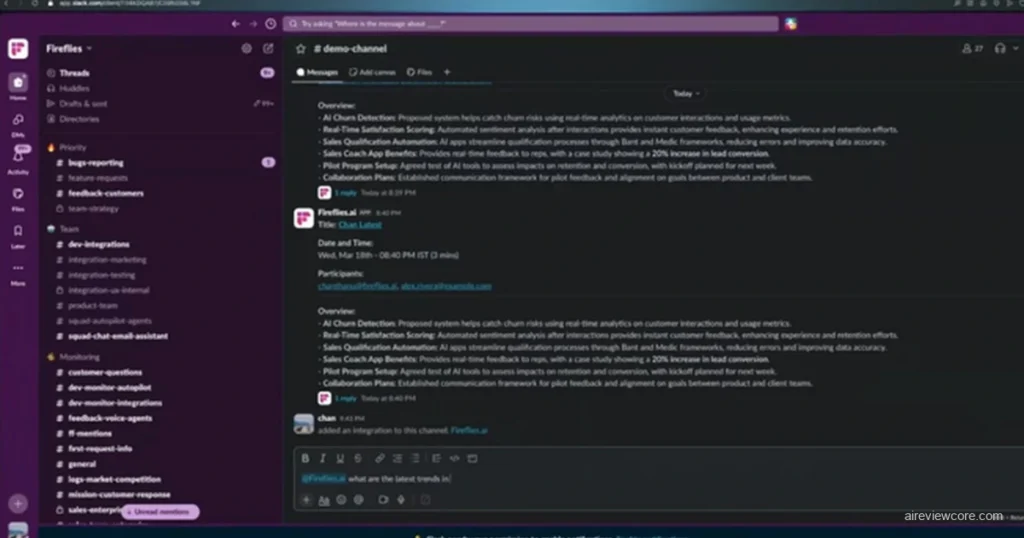
The platform automatically joins your video calls — Zoom, Google Meet, Microsoft Teams — records the conversation, transcribes it with speaker identification, generates AI-powered summaries, and extracts action items and key decisions. All of this happens without any manual input beyond a one-time calendar connection. You attend the meeting and focus on the conversation. Fireflies handles the documentation.
For teams running multiple meetings daily, this is not a convenience feature. It is a structural elimination of one of the most consistent time drains in professional work: meeting follow-up documentation.
Real-Time Note Capture and AI Summaries — The Core Value
Fireflies’ most practically impactful feature is its ability to capture meeting content in real time and convert it into structured, searchable documentation immediately after the call ends. The AI summary is not a generic recap — it categorizes content into decisions made, action items assigned, questions raised, and key discussion points, making it immediately usable for follow-up communication without editing.
The platform’s search functionality extends across all recorded meetings, allowing users to retrieve specific conversations, decisions, or commitments from months of meeting history using simple keyword or topic searches. For professionals managing ongoing client relationships or long-running projects, this searchable archive is a significant capability advantage over manual note-taking systems.
Support for over 100 languages makes Fireflies viable for international teams conducting meetings across markets — with transcription accuracy maintained across the language range.
The AskFred AI Assistant — Query Your Meeting History
One of Fireflies’ most powerful and underutilized features is AskFred — an AI assistant that lets you ask questions about your meeting history in natural language. “What did we agree to regarding the Q3 budget in our last three calls with the client?” “What action items were assigned to the engineering team this week?” AskFred queries the transcription database and surfaces the relevant content.
For professionals managing complex, multi-stakeholder projects, this capability transforms meeting records from passive documentation into an active knowledge base — one that can answer questions faster than any manual review of meeting notes.
Honest Limitations Worth Knowing
Fireflies’ AI credit system creates hidden cost complexity that the base subscription price does not reflect. Features like AskFred and advanced analytics consume credits that are capped on every plan — heavy users regularly exhaust monthly allocations and face overage charges. The Pro plan’s 8,000-minute storage limit is also tighter than it appears for teams running multiple daily meetings. Build these real costs into your evaluation before committing to a plan.
Expert Workflow: Getting Maximum Output From Fireflies AI
Configure CRM integration before your first client call. Fireflies’ most powerful workflow advantage is its ability to automatically sync meeting summaries and action items to Salesforce, HubSpot, or Notion. Set this up during onboarding, not after you have already accumulated meetings without it.
Use the summary email as your post-meeting communication. Fireflies’ AI-generated meeting recap is typically ready within minutes of call end. Send it to all participants as the official meeting record. This single practice eliminates most meeting follow-up ambiguity and reduces the “I thought we agreed…” conversations that consume significant time.
Build a searchable team knowledge base over time. Fireflies’ long-term value compounds as the meeting archive grows. After three to six months of consistent use, the searchable history of decisions, commitments, and discussions becomes a genuine organizational asset — one that new team members can query to understand project history without requiring manual briefings.
Monitor AI credit usage weekly. Set a calendar reminder in your first month to check credit consumption against your plan’s allocation. Identifying heavy usage patterns early prevents unexpected charges at billing.
Pricing Overview
| Plan | Price | Key Features |
| Free | $0/month | 800 min storage, limited AI summaries, basic transcription |
| Pro | $10/seat/mo (annual) / $18/seat/mo (monthly) | Unlimited transcription, 8,000 min storage, integrations |
| Business | $19/seat/mo (annual) / $29/seat/mo (monthly) | Video recording, conversation intelligence, team analytics, API |
| Enterprise | $39/seat/mo (annual) | HIPAA, SSO/SCIM, private storage, dedicated support |
Expert Verdict: Fireflies AI is the most immediately impactful tool in this guide for teams running regular meeting cycles — its automatic recording, AI-powered summaries, and searchable meeting archive eliminate the documentation burden that consumes disproportionate time in meeting-heavy professional workflows, earning it a firm place among the 4 best AI productivity tools in 2026.
Tool 4: Notion AI — The Intelligent Workspace That Thinks Alongside You
Overview
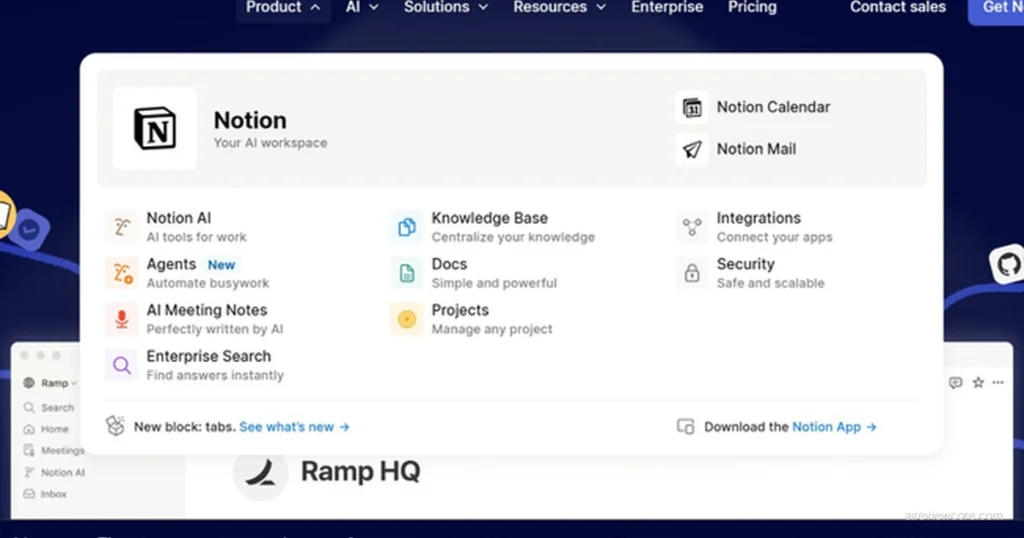
Notion AI represents a category of productivity tool that most competitors have not yet matched: an AI assistant embedded directly inside the workspace where your actual work lives — not a separate application you switch to.
The distinction matters more than it initially appears. The productivity cost of context switching — moving between a writing tool, a project management system, a note-taking app, and an AI assistant — is one of the most consistent sources of hidden time loss in knowledge work. Notion AI eliminates this switching overhead by bringing AI generation, summarization, editing, and analysis directly into the workspace where documents, databases, and project structures already exist.
For teams and individuals who have already centralized their work in Notion, the AI layer makes an existing workflow dramatically more capable without requiring any additional tool adoption
AI-Powered Writing and Editing — Inside Your Actual Documents
Notion AI’s writing capability operates directly within any Notion page or database entry. Select a block of text and ask the AI to summarize it, expand it, improve the clarity, change the tone, or translate it. Generate a first draft from a bullet-point outline. Ask the AI to extract action items from a meeting note and create a task database automatically.
The practical impact for knowledge workers who produce significant written output — reports, proposals, documentation, client communications — is a meaningful reduction in the time spent on first drafts and editing cycles. The AI does not replace the thinking or judgment behind professional writing. It eliminates the mechanical labor of getting that thinking onto the page in structured form.
AI-Powered Search Across Your Entire Workspace
One of Notion AI’s most underappreciated capabilities is its ability to answer questions about the content stored across your entire workspace. “What are all the open action items from this week’s project updates?” “Summarize the key decisions from the last three client meeting notes.” “What does our documentation say about the approval process for vendor contracts?”
For organizations that have built meaningful knowledge bases in Notion — project histories, client records, internal documentation, process guides — this AI-powered search transforms static information into a conversational, queryable resource. The institutional knowledge trapped in documents becomes actively accessible.
Honest Limitations Worth Knowing
Notion AI’s value is directly proportional to how much of your work already lives in Notion. For teams using fragmented tool stacks — project management in one place, documents in another, notes in a third — Notion AI delivers limited value without the upfront investment of consolidating workflows into the platform. The AI features also add a meaningful cost layer on top of the base Notion subscription, which is worth factoring into total cost of ownership calculations.
Expert Workflow: Getting Maximum Output From Notion AI
Consolidate one workflow into Notion before evaluating the AI. If your team’s meeting notes, project trackers, and relevant documentation are not in Notion, the AI has nothing to work with. Choose one high-value workflow — client meeting documentation, or weekly project status updates — and migrate it to Notion first. Evaluate the AI layer after two weeks of that consolidated workflow.
Use AI summaries as your weekly review engine. At the end of each week, use Notion AI to generate summaries across your active project pages — pulling key updates, open action items, and upcoming deadlines into a single weekly review document. This practice alone eliminates most of the manual work involved in weekly team reporting.
Build AI-assisted templates for recurring documents. Any document your team produces repeatedly — meeting agendas, project briefs, client proposals — can be templated in Notion with AI fill-in prompts. The AI pre-populates variable sections from database properties, reducing recurring document production time by 70-80%.
Use the AI database feature for task extraction. After any meeting note or project update, use Notion AI to automatically extract action items and populate them directly into your task database. This eliminates the manual transcription step that is the most common point of failure in meeting-to-action-item workflows.
Pricing Overview
| Free | $0/month | Limited blocks, basic features, no AI |
| Plus | $12/seat/mo (annual) | Unlimited blocks, file uploads, basic collaboration |
| Business | $18/seat/mo (annual) | Advanced permissions, admin tools, SAML SSO |
| Notion AI Add-on | +$10/seat/mo | AI writing, summarization, Q&A, translation across all plans |
| Enterprise | Custom | Advanced security, audit logs, dedicated support |
Expert Verdict: Notion AI is the highest-leverage productivity investment for teams that have already centralized their work in Notion — the AI layer transforms a static documentation system into an active thinking partner, making it one of the 4 best AI productivity tools in 2026 for knowledge-intensive professional workflows.
The Full Comparison: Pricing, Performance & Best Use Cases
| Tool | Best For | Free Plan | Starting Price | Reliability |
| Motion | Scheduling & task automation | ❌ (7-day trial) | $19/mo (annual) | High |
| Perplexity AI | Research & information retrieval | ✅ | $20/mo | High |
| Fireflies AI | Meeting documentation | ✅ | $10/seat/mo (annual) | High |
| Notion AI | Knowledge management & writing | ✅ (no AI) | +$10/seat/mo add-on | High |
Frequently Asked Questions
Which of these tools has the best free plan? Fireflies AI offers the most functional free plan for immediate professional use — unlimited transcription with storage limits. Perplexity AI’s free tier is also genuinely useful for moderate daily research. Motion has no free plan, only a 7-day trial.
Can these tools integrate with each other? Yes — and the integrations are where significant additional value emerges. Fireflies integrates directly with Notion, pushing meeting summaries into your workspace automatically. Perplexity’s research output can be pasted directly into Notion documents. Motion syncs with your calendar across Google and Outlook. Building these integrations during onboarding multiplies the individual tool value.
Which tool delivers the fastest ROI? Fireflies AI typically delivers measurable time savings within the first week for teams running regular meetings. The immediate elimination of manual note-taking and the automatic meeting summary distribution produces visible productivity gains faster than any other tool in this guide.
Is Motion worth the premium price compared to free scheduling tools? For professionals whose primary bottleneck is scheduling complexity across multiple competing priorities, yes — the autonomous rescheduling capability alone saves more time per month than the subscription cost at any billing rate above $30 per hour. For professionals with simple, low-conflict schedules, free tools are likely sufficient.
Which tool is best for solo professionals vs. teams? Solo professionals: Perplexity AI (research) and Notion AI (knowledge management) deliver the highest individual impact. Teams: Fireflies AI (meeting documentation) and Motion’s Business plan (shared scheduling) address the coordination overhead that scales with team size.
Your Action Plan: Matching Tool to Workflow Bottleneck
The 4 best AI productivity tools in 2026 have made the excuses for working inefficiently significantly harder to maintain. The production barrier is gone. The research barrier is gone. The meeting documentation barrier is gone. The knowledge management barrier is gone.
What remains is the decision about which bottleneck to eliminate first.
Here is the decision framework:
- Your biggest problem is scheduling chaos? Start with Motion’s 7-day trial. Input your active tasks and deadlines, connect your calendar, and let the AI build your first scheduled week. Evaluate the output quality before committing annually.
- Your biggest problem is research inefficiency? Start with Perplexity AI’s free tier. Run ten research queries on topics you would normally Google manually. Compare the time and output quality. If you hit the daily limit within the first week, upgrade to Pro.
- Your biggest problem is meeting overload and poor follow-through? Start with Fireflies AI’s free plan. Connect it to your calendar, let it join your next five meetings automatically, and evaluate the summary quality and action item extraction before upgrading.
- Your biggest problem is scattered knowledge and slow document production? If your team already uses Notion, add the AI layer and run it for two weeks on your most document-intensive workflow. If you are not yet in Notion, the migration investment is required before the AI delivers full value.
The professionals outperforming in 2026 are not working more hours. They are using the right infrastructure for their specific workflow bottlenecks — and compounding the time savings into output that their competitors cannot match.
Adrian Cole is a professional AI technology reviewer and creative technologist at aireviewcore.com, covering AI productivity tools, language models, and workflow technology with a focus on practical professional applications.
© 2026 aireviewcore.com — All rights reserved.